
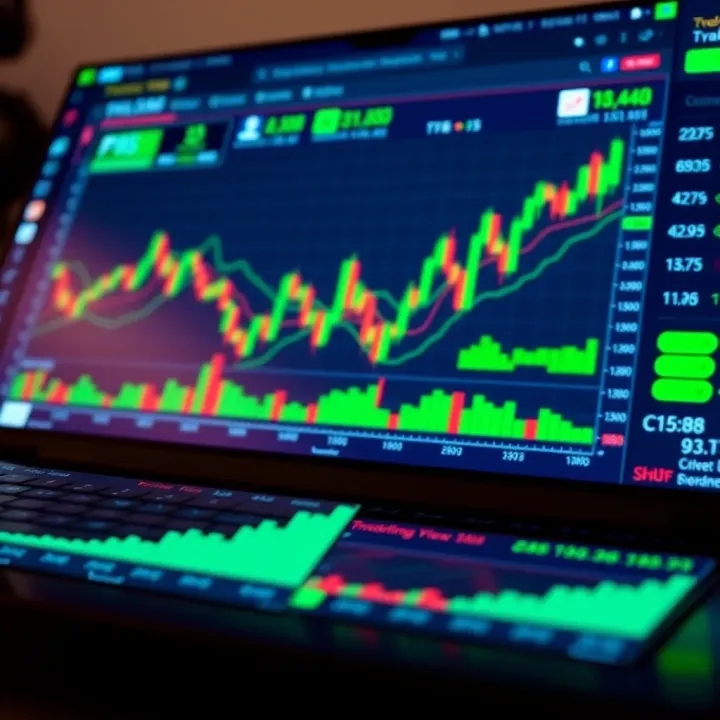
Guide to TradingView.com for Traders in Pakistan
Explore TradingView.com with a detailed guide for Pakistani traders 📈. Learn about features, tools, subscriptions, community, and broker integration!
Edited By
Oliver Bennett
TradingView has become a go-to platform for traders around the world, including those in Pakistan. Whether you're new to trading or have years of experience, TradingView offers tools that can help sharpen your market analysis and improve your trading decisions.
In Pakistan, where access to certain international trading platforms and real-time data can be limited, TradingView's comprehensive and user-friendly interface fills a crucial gap. From forex to local stocks and commodities, the platform supports a wide range of markets that Pakistani traders often focus on.
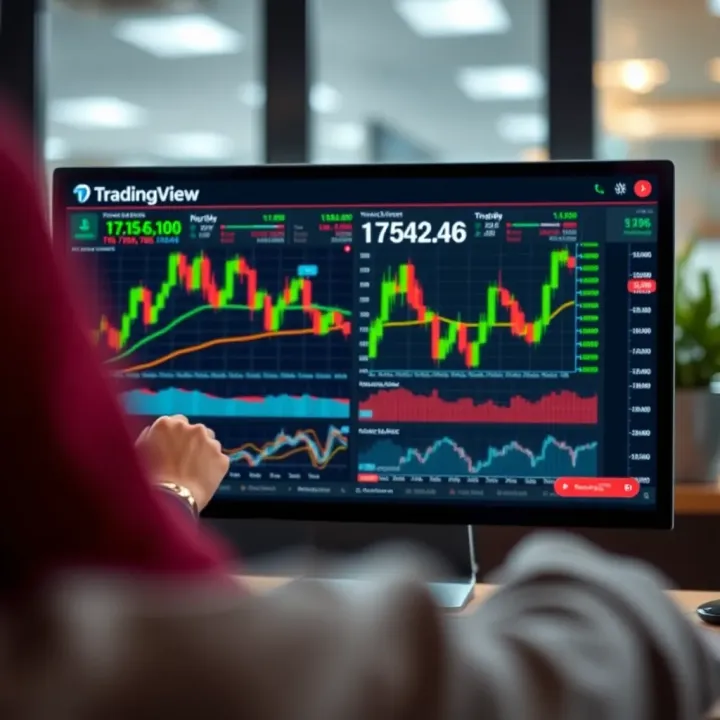
This guide will walk you through TradingView's key features, how to use its charting tools effectively, and how to tailor alerts and indicators to fit your trading style. Along the way, you’ll find practical tips geared specifically toward Pakistan’s trading community, helping you avoid common pitfalls and make the most of what TradingView offers.
Whether you’re betting on the rupee-dollar pair or tracking the Pakistan Stock Exchange, this guide will help you take control of your trades with confidence and clarity.
Let's start by understanding why TradingView stands out in a crowded market of financial platforms.
TradingView has made a solid mark for traders worldwide, and Pakistani traders are no exception. Its blend of powerful charting tools, ease of use, and social community makes it more than just a chart platform – it's a full-fledged trading companion. For traders in Pakistan, TradingView offers a way to keep an eye on both local markets and international opportunities, all in one place.
The importance of understanding TradingView within this guide is to equip you with tools and insights that fit practical trading needs. Whether you're following market trends, testing strategies, or simply tracking prices, knowing how TradingView works can make your trading decisions sharper and more confident. Let's first unpack what TradingView really is and why it's become a go-to hub for traders, including those in Pakistan.
TradingView is an online charting platform that offers real-time data visualization for stocks, forex, cryptocurrencies, and more. Its core strength lies in user-friendly chart tools packed with technical indicators and drawing utilities. Think of it as a digital canvas where you can plot price movements, add technical studies, and tailor your view just how you want it.
For example, a trader analyzing the Pakistan Stock Exchange (PSX) can use candlestick charts combined with moving averages to spot trends right from their laptop or phone. TradingView's cloud-based system means your setups and analyses are saved automatically, allowing you to tweak your strategies anytime, anywhere.
The platform boasts millions of users across the globe, ranging from casual traders to professional analysts. This widespread usage results in a lively community sharing trading ideas, scripts, and market insights constantly.
Pakistani traders benefit from this global reach by gaining access to a wealth of diverse viewpoints and strategies. For instance, following a seasoned forex trader from Europe or a seasoned stock analyst in the US can broaden your trading perspective and help you avoid local biases. TradingView’s social features bridge geographic gaps, offering Pakistani traders tools and ideas that might otherwise be hard to find locally.
One of the biggest reasons local traders flock to TradingView is its straightforward setup and clean interface. You don’t need to be a tech whiz to start charting or analyzing markets here. Plus, given Pakistan’s sometimes patchy internet service, TradingView's efficient design ensures charts load fairly quickly without hammering your data.
Moreover, the platform supports multiple languages and devices. So if you’re on a smartphone during a commute in Karachi or at a cafe in Lahore, you can still access vital market data and alerts without hassle.
While TradingView started with a focus on major international markets, it now boasts solid coverage for Pakistan’s PSX and other significant regional exchanges through partnerships with local data vendors. This means a trader can track Millat Tractors Ltd or Engro Corporation alongside US stocks like Apple or Tesla in real time.
This integrated availability allows Pakistani traders to diversify their portfolios without juggling multiple apps or websites. Knowing what’s happening at home and abroad gives a more rounded picture — essential for making decisions in today’s interconnected markets.
In sum, TradingView acts as a powerful bridge linking Pakistani traders to both their local markets and global financial hubs. Its accessible design and extensive data coverage make it a practical choice for traders aiming to stay competitive and informed.
Diving into TradingView might feel a bit overwhelming at first, especially for traders in Pakistan who are balancing multiple market influences. But getting started is simpler than you think, and this phase is critical. It lays the foundation for making the most out of the platform's powerful features. Plus, it helps you avoid common pitfalls early on — like missing out on essential tools due to improper setup.
Starting with TradingView means setting up an account, which is straightforward. You'll need to visit the TradingView website and click on the "Sign Up" button. From there, you can choose to register using your email, or even quicker, link your Google or Facebook account. This speedier option is handy if you want to avoid remembering new login details.
Once you register, confirm your email to unlock full platform access. Without verification, some functions remain restricted, so it's an important step. Also, pay attention to setting your profile details accurately. This includes your time zone and preferred currencies, which directly impact how data appears and trades are analyzed.
TradingView offers several subscription plans tailored to different users, from beginners to pros. The free plan is great for those who want basic charting and can tolerate occasional ads. It includes one chart per layout, limited indicators, and delayed data for some markets.
For traders in Pakistan who want more realtime data and advanced tools, the Pro plans (Pro, Pro+, and Premium) are worth considering. For example, the Pro plan allows you multiple charts in a single layout and access to more indicators, enabling you to spot opportunities faster. Higher tiers offer benefits like no ads, extended alert limits, and faster customer support.
Here's a quick rundown:
Free: Basic tools, delayed data, 1 chart per layout
Pro: Multiple charts, up to 10 indicators, faster updates
Pro+: Even more charts, enhanced alerts
Premium: Unlimited charts, priority support, data on global markets
Choosing the right plan boils down to your trading goals and market needs. For example, someone trading Pakistani equities might rely on Pro to get timely data, while a day trader working with Forex and global stocks may find Pro+ or Premium necessary.
After logging in, the main dashboard is your launching pad. It’s designed to give quick access to charts, watchlists, news, and ideas shared by other traders. The top menu bar typically holds your profile settings, alerts, screener tools, and chart layouts.
The left side panel contains drawing tools—essential for technical analysis. You’ll find trend lines, shapes, text annotations, and more. On the right, the chat and idea stream let you engage with the community or follow market sentiment at a glance.
This layout helps you move swiftly from one task to another without digging through menus. For instance, if you’re watching key support levels on the KSE-100 index, you can quickly draw trend lines while monitoring news updates in parallel.
Not everyone analyzes markets the same way, so customizing your workspace is a must. TradingView lets you arrange charts, indicators, and watchlists just how you like. You can save these setups as templates, making it easy to switch between, say, day trading and long-term investment views.
For example, you might want a triple-chart layout where one shows a 1-hour candlestick chart of PSX-listed stocks, another displays a 5-minute Forex pair, and a third keeps track of commodities like copper or oil prices.
Personalizing colors, fonts, and grid options can also reduce eye strain, which is handy during long trading sessions. Don’t forget, the platform’s mobile app syncs your workspace across devices, so you can keep tabs on your setup while commuting or away from your desk.
Remember, mastering the basics of your TradingView account and interface sets the tone for your trading success. Spend time tweaking your workspace to make information pop out the way you need it — it pays off in faster, more confident decisions.
Charting tools are the heart and soul of TradingView, especially if you’re serious about making informed trading decisions. Without clear charts, forecasting the market feels like trying to find a needle in a haystack. For traders in Pakistan, where access to timely and reliable market data can sometimes be tricky, TradingView's charting features provide much-needed clarity and precision. They help you sift through the noise and spot opportunities that you might otherwise miss.
TradingView doesn’t just offer basic charts; it gives you a full toolkit to analyze price movements, trends, and patterns across various markets—from the Karachi Stock Exchange to global forex pairs. This section digs into the kinds of charts you’ll be working with, how to choose the right time frames, and the essential drawing tools that bring technical analysis to life.
When you log into TradingView, the first thing you'll notice is the variety of chart types. The candlestick chart is perhaps the most popular because it packs lots of information in a concise, easy-to-read format. Each candle shows the open, close, high, and low prices, and the color tells you whether the price went up or down during that period. For example, a green candle typically means buyers dominated, while a red one shows sellers had control.
Bar charts work similarly but focus more on outlining price ranges, with vertical bars representing high and low prices, and small horizontal lines indicating the open and close. Line charts, on the other hand, simplify price action by connecting closing prices over time. These are great if you want a quick snapshot without getting bogged down in details.
Choosing the right chart type depends on your trading style. If you are a day trader dealing with fast moves on Pakistani stocks or currency pairs, candlestick charts give you detailed insight. For longer-term investors focusing on market trends, line charts can help remove short-term noise and sharpen your focus.
Equally important is how you slice your data over time. TradingView offers time frames ranging from just a minute to monthly or even yearly views. If you check the 1-minute chart during the Karachi Stock Exchange’s trading hours, you’ll catch every tick and price jump. Good for scalpers or short-term traders who want to pounce at the right moment.
But if you’re holding positions for weeks or months, the daily or weekly charts serve you better. They smooth out day-to-day fluctuations, letting you see bigger trends. For example, if Pakistan’s market is reacting to political news, weekly charts might help filter out short-term panic selling.
Pro Tip: Combining different time frames can give a more well-rounded view. Start with a weekly chart to identify the overall trend, then zoom into daily or hourly charts to fine-tune your entry and exit points.
Once you’ve picked your chart type and time frame, it’s time to get hands-on with drawing tools. Trend lines are the bread and butter of technical analysis. By connecting two or more price points, you create a line that highlights the market’s direction—up, down, or sideways.
For example, if you notice the price of Pakistan’s PSX index making higher lows consistently, drawing an upward trend line helps confirm bullish momentum. It also creates a visual guide where traders often expect support.
Channels take this idea further by adding a parallel line on the opposite side of the trend. If prices oscillate between these two lines, the channel marks a corridor where traders can anticipate reversals or breakouts. This kind of tool can be a lifesaver in volatile markets, helping avoid buying into a downtrend or selling too soon during an upswing.
Another powerful tool in the arsenal is the Fibonacci retracement. It’s a method to spot potential reversal levels by plotting horizontal lines at key percentages—like 38.2%, 50%, and 61.8%—between a high and a low point.
Imagine the price of a popular stock like Oil and Gas Development Company Limited (OGDCL) surges due to a sudden market beat or positive earnings. You could use Fibonacci retracement to guess where the price might pull back to before continuing its climb. These levels often coincide with natural support or resistance points, helping you plan where to enter or exit.
Fibonacci shapes in TradingView also let you mark specific areas on the chart, making it easier to visualize patterns or denote zones for watchful attention.
Remember: No tool guarantees results, but when combined thoughtfully, trend lines, channels, and Fibonacci retracements build a solid framework to navigate Pakistan’s complex and fast-moving markets.
Mastering these charting tools will not just improve your trading skills but also boost your confidence in making data-driven decisions. Dive in, experiment with these features, and soon enough, you’ll be reading market moves like a seasoned pro.
Technical indicators are a trader’s compass in the chaotic seas of financial markets—especially for traders in Pakistan who might be juggling local market quirks and global trends. By analyzing price data and volume, these tools help spot trends, gauge momentum, and predict potential reversals. TradingView makes it straightforward to apply a wide array of indicators, making trade decisions more informed rather than just gut feelings.
Using technical indicators can cut through the noise and reveal valuable insights hidden in price movements. For instance, when the Karachi Stock Exchange is volatile, a trader can rely on indicators to identify when a stock is overbought or oversold, preventing rash decisions. Plus, these tools save time, as you don’t need to interpret raw charts blindfolded.
TradingView offers built-in indicators that cover essential signals for every trader—from newbies to seasoned pros—while also allowing customization for strategies tailored to the Pakistani market’s specifics.
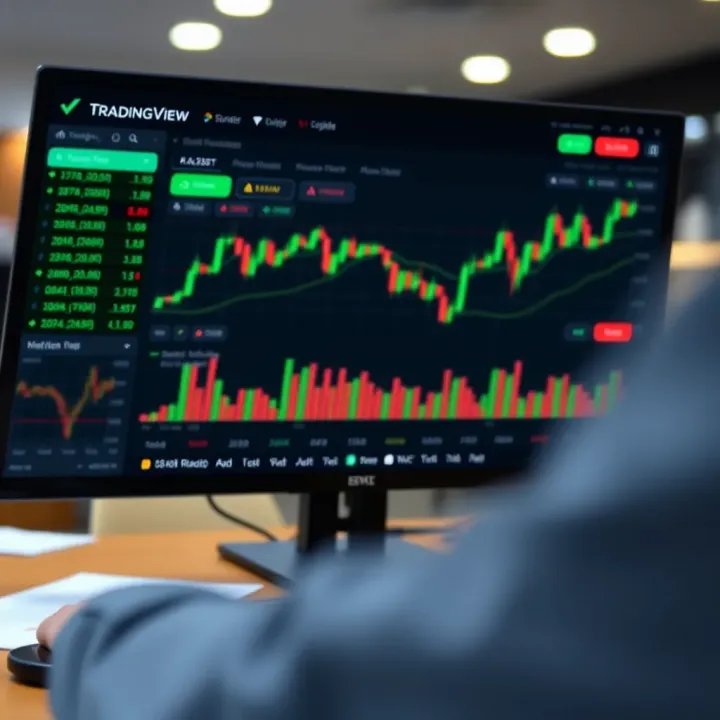
Moving averages (MAs) smooth out price data by averaging past prices, helping traders see the bigger picture and filter out random swings. Common types are Simple Moving Average (SMA) and Exponential Moving Average (EMA). The SMA takes an unweighted average of prices, while EMA gives more weight to recent prices, making it more responsive.
For example, a 50-day SMA can show the medium-term trend of oil futures, which Pakistan traders often watch. When prices cross above the 50-day SMA, it might signal a buy opportunity; crossing below could indicate a sell.
Moving averages are also used in crossover strategies—like the popular "Golden Cross" where the 50-day MA crosses above the 200-day MA, signaling a strong uptrend. Using MAs in TradingView is effortless; just select the indicator and tweak the time period to suit your trading style.
Tip: Use multiple MAs to spot trend shifts quicker, but don’t overdo it—too many can clutter your chart and confuse signals.
The RSI measures how quickly recent prices have changed to determine if an asset is overbought or oversold. It ranges from 0 to 100, with readings above 70 suggesting overbought conditions (possible pullback ahead) and below 30 indicating oversold levels (potential bounce).
In Pakistan’s forex markets, RSI helps traders time entries and exits well, especially during choppy markets. For example, an RSI hitting 80 on the USD/PKR pair might warn to lock profits before a correction.
RSI adds value when combined with other indicators—don’t rely on it alone. It’s most effective in markets where prices oscillate within ranges rather than strong trending phases.
The Moving Average Convergence Divergence (MACD) is a trend-following momentum indicator that shows the relationship between two EMAs (usually 12-day and 26-day). The MACD line crossing above the signal line (a 9-day EMA of the MACD) can signal a buying opportunity, while crossing below indicates selling.
Traders in Pakistan can use MACD on stocks like Engro or Lucky Cement to catch momentum shifts. The histogram bars in MACD indicate the distance between MACD and its signal line, offering a visual cue for strength or weakness.
Since MACD combines trend and momentum, it’s good for spotting trade setups early but always best to confirm with volume or other indicators.
TradingView’s Public Library is a treasure trove where users share thousands of custom-built indicators and scripts. This community-driven resource allows Pakistani traders to find niche indicators tailored to specific market habits or even unique strategies developed by fellow traders.
For example, someone might create an indicator adjusting moving averages for Pakistan Stock Exchange (PSX)’s typical volatility or providing alerts on particular commodity prices relevant locally.
Using the Public Library:
Search for indicators by name or function
Check user ratings and comments for reliability
Add indicators straight to your charts with one click
This resource boosts your toolkit beyond standard options, helping make analysis more personalized and efficient.
Pine Script is TradingView’s native scripting language, enabling traders to code their own indicators and strategies. Even if you’re not a programming whiz, starting with basic Pine Script opens doors to tailor-made tools perfectly fitting your trading style.
Say you want an alert when a Pakistani company’s stock price hits a certain moving average combined with volume spike—a custom script can automate this without manual checks.
Key points:
Pine Script syntax is simple and well-documented on TradingView’s learning portal
You can modify existing public scripts to create hybrid indicators
Backtest your custom strategies directly on charts before using real money
Building or tweaking indicators with Pine Script amplifies flexibility, making TradingView a highly customizable platform, well-suited even for traders focused on the Pakistani or emerging markets.
Pro tip: Start with modifying templates from the Public Library before writing code from scratch to ease into Pine Script.
In summary, mastering technical indicators on TradingView—whether pre-built favorites or custom creations—equips traders in Pakistan with powerful tools to read market pulse, reduce guesswork, and refine entry-exit timing across diverse assets.
Setting alerts and notifications in TradingView is a real lifesaver for traders, especially in fast-moving markets where every second counts. Instead of sitting glued to your screen all day, alerts let you keep tabs on important price movements or indicator changes and jump in at the right moment. For traders in Pakistan, this feature can be particularly handy because market hours can overlap with other daily commitments or unstable internet connections.
TradingView’s alerts work across a broad range of conditions—price hitting a certain level, indicators crossing thresholds, or custom script signals. The practical benefit is simple: they help you avoid missing trading opportunities without constantly monitoring charts.
Setting alerts on TradingView is straightforward and doesn’t require tech skills. First, pick the asset and chart you’re interested in. Next, right-click on the price level on the chart where you want an alert or click the alert icon (bell symbol) on the toolbar. Now, define your alert condition:
Specify whether it’s a price crossing, greater than, less than, or indicator-based alert.
Choose how you want to be notified (pop-up, email, SMS, or app notification).
Set the alert’s expiration date and how many times it should trigger.
Hit create, and you’re set. For example, if you're watching the Pakistan Stock Exchange’s KSE-100 index, you can set an alert for when the index crosses 45,000 points to act quickly on a breakout or reversal.
Once your alerts are running, keeping them organized matters to avoid confusion or overload. TradingView’s alert manager lets you see all active alerts in one place. From here, you can pause, modify, or delete alerts as your strategy or market conditions change.
A good tip: regularly review your alerts, especially during volatile market phases. For instance, during the Federal Budget announcements in Pakistan, you might want to pause certain alerts and activate others that track currency pairs or oil prices due to expected market reactions.
Imagine you have a GBP/PKR alert set to trigger when the pair drops below 220. As soon as this happens, you get an instant notification on your phone, allowing you to quickly decide whether to buy or sell without scanning charts continuously.
Another example: A trader following the RSI on Pakistan’s Oil & Gas Development Company Limited (OGDCL) stock might set an alert when RSI hits above 70, a typical signal the stock could be overbought and due for a pullback.
These alerts ensure you respond to market movements in near real-time, which is crucial when trading volatile assets.
Not all markets behave the same, so tailoring your alerts based on market traits is wise. For instance, Forex markets run 24/5, so setting alerts that only sound during your trading hours can prevent unwanted noise. For Pakistan’s stock market, which has fixed trading hours, scheduling alerts during active sessions helps to remain focused.
When trading commodities like oil or gold, consider setting alerts not just on price but also on volume spikes or moving average crossovers to catch subtle shifts.
Remember: Alerts are as useful as their setup. The trick is finding that sweet spot — not too many to create alert fatigue and not too few to miss important moves.
In short, mastering alerts and notifications on TradingView gives Pakistani traders a sharp edge—helping you trade smarter, stay alert to opportunities, and manage risk without constant chart-watching.
TradingView isn't just a fancy charting tool—it's like a buzzing marketplace of ideas where traders from all over can interact, share, and learn from each other. For traders in Pakistan, this social aspect is a goldmine. It offers a chance to connect beyond just staring at numbers and charts; instead, you get insights from experienced voices, spot trends through community discussions, and even get feedback on your own strategies. This sense of community can cut through the noise and help traders avoid feeling isolated, especially when navigating complex markets.
One of TradingView's perks is the ability to follow seasoned traders and analysts who consistently post their market analyses and trade ideas. To find and follow these experts, start by exploring the "Ideas" section on TradingView. Here, you can filter posts by asset class, popularity, or date. Look for contributors with a high number of followers and positive feedback—these often indicate credibility.
Moreover, you can check the user's profile to gauge their trading style, history of shared ideas, and overall activity. Following these users keeps their insights on your feed, making it easy to stay updated with different market perspectives without hunting for information.
Why does this matter? For emerging traders or those trading Pakistani markets, tapping into experienced peers means gaining valuable viewpoints you might not find elsewhere. For example, a local equity analyst might share how political developments impact Pakistan Stock Exchange sectors, offering you clues beyond the raw data.
Social trading breaks the solo trader stereotype. Instead of guessing blindly, you get to ride collective knowledge waves, which helps sharpen your decision-making. Here’s why it's a win:
Diverse Perspectives: Different traders use various strategies. Observing these broadens your horizon.
Real-Time Sentiment: Community reactions can signal market sentiment shifts quicker than official news.
Accountability and Learning: Engaging with others means you're less likely to repeat mistakes unnoticed.
An example: If multiple traders in TradingView's Pakistani community highlight unexpected volume spikes in a stock, it’s worth paying attention. This social proof can be a cue to investigate further or adjust your positions.
TradingView lets you publish your charts and analyses to the public, turning your trading journal into a dynamic conversation starter. When creating posts, combine your charts with clear explanations. This practice not only solidifies your understanding but invites constructive feedback from the community.
For example, if you publish a chart highlighting a potential breakout in a KSE-100 index stock with your analysis, other traders might comment with alternative views or confirm your hypothesis. This exchange enriches everyone’s trading experience.
Engagement doesn’t stop at posting. Actively responding to comments and participating in discussions sharpens your trading skills and builds rapport with fellow traders. Consider it like informal mentoring but on a global playground.
"TradingView's community is like having a hundred eyes watching the markets alongside you, doubling your ability to spot opportunities and avoid pitfalls."
In summary, the social features on TradingView empower Pakistani traders to move beyond isolated learning and tap into a lively, informative network. Following experts, sharing your work, and engaging in dialogue all contribute to making better, informed trading decisions.
Integrating TradingView with brokerage accounts makes trading smoother by allowing traders to place orders directly from the charts. For traders in Pakistan, this can be a game changer—especially when moving fast to catch market swings matters. Instead of toggling between platforms, you get to analyze and act all in one place, cutting down the chances of errors or missed opportunities.
TradingView works with several brokers globally, but not all are equally accessible or relevant to traders in Pakistan. Some brokers you might find supported include Interactive Brokers, OANDA, Forex.com, and Tradestation. Each offers access to different markets, ranging from forex to stocks and futures.
Tip: Always check if your preferred broker supports integration with TradingView before making any commitment, especially if you’re trading locally.
The markets accessible via integration typically include forex pairs, U.S. equities, futures, and cryptocurrencies. However, access to Pakistani stock exchanges like PSX through this integration is limited or non-existent at the moment. That means if your primary focus is local Pakistani equities, you might need to rely on TradingView's charting and analysis features but execute trades on your broker's own platform.
How live trading works: Once your brokerage account is linked, TradingView offers an interface where you can place buy or sell orders straight from the chart view. This includes setting market or limit orders, stop losses, and take profits without switching screens. All execution happens through your broker's system but initiated from TradingView, so the speed and reliability depend on both ends.
For instance, a trader watching the EUR/USD pair on TradingView can spot a breakout and immediately put in a trade order without delay—saving precious seconds.
Risks and considerations: While this setup is convenient, it comes with risks. Network issues or platform glitches can create slippage or order rejections. Also, over-relying on automated or one-click orders might tempt traders into impulsive decisions. Plus, fees could vary based on your broker's policies, so keep an eye on transaction costs.
Moreover, integration requires sharing your broker credentials, so ensure you use strong passwords and enable two-factor authentication for security.
Remember: The convenience of trading from TradingView should not overshadow sound risk management and thorough market analysis. Always double-check your orders and settings.
In summary, integrating your brokerage account with TradingView offers Pakistani traders a more unified and less fragmented trading experience. However, not all brokers or markets are available, so understanding the limits and safeguards is key for a smooth trading flow.
Professional traders in Pakistan often need more than just basic charting tools—they require features that let them track several markets and strategies at the same time. TradingView offers these advanced capabilities, giving traders the flexibility and depth they want for smarter, faster decisions. Whether you’re juggling forex pairs, stocks from the KSE, or international commodities, these features can help you spot opportunities without switching screens constantly.
Configuring multiple charts lets you view different assets, time frames, or indicators side by side. Imagine you're monitoring the USD/PKR forex pair alongside Pakistan’s stock index (KSE-100) and a commodity like gold. Instead of flipping between tabs or setups, you can see all these charts on one screen. To configure, TradingView allows you to select from presets or create your own layout by splitting the screen horizontally or vertically, adding as many charts as your device can handle.
This setup is handy when you want to compare how various markets interact simultaneously. For example, you might notice that a dip in the KSE-100 corresponds with a rise in gold prices, hinting at risk-off sentiment. Setting up customized layouts means you can save these views for the next session and adjust with just a click.
Using layouts for monitoring is about having your watchlist ready for quick checking throughout the trading day. You could set a layout showing long-term trends on one chart and short-term scalping graphs on another. This approach is especially useful for traders who dabble in multiple strategies and want to ensure they don’t miss timely moves. These layouts can be saved, renamed, and even shared with peers, speeding up your reaction time to market changes.
Running strategy simulations is a powerful tool that lets you test how your trading strategy would have performed in the past using historical data. For instance, if you have developed a custom strategy based on moving averages and RSI, you can simulate thousands of trades without risking actual money. This is especially important in Pakistan’s market where some assets can be volatile and historical patterns help predict potential outcomes.
TradingView makes this practical by allowing traders to run these tests right on their charts using Pine Script or pre-built strategies. You can tweak parameters like stop-loss, take-profit, and entry signals, then see how the strategy fares across different time frames and market conditions.
Interpreting results means going beyond just looking at profits and losses. You should understand metrics like drawdown, win rate, and risk-reward ratios to gauge if a strategy is realistic under local market conditions. For example, a strategy showing high returns but huge drawdowns might not work well due to Pakistan’s market liquidity or sudden policy changes.
Being critical and analytical during interpretation helps you refine your approach. It also builds confidence when you actually apply the strategy live, knowing it has been tested thoroughly.
Advanced features like multi-chart layouts and backtesting are what turn casual chart watchers into smart, professional traders who can adapt to tricky market situations effectively.
By making full use of these capabilities, traders in Pakistan can better navigate local and international markets without missing a beat.
Using TradingView efficiently can make a big difference when trading, especially in a country like Pakistan where resources and market data access can vary. These tips focus on practical ways to squeeze the most value out of the platform without getting overwhelmed or bogged down by technical issues. Whether you’re analyzing local stocks or global commodities, having a smooth, tailored setup helps you make quicker and better decisions.
When you're trading stocks listed on the Pakistan Stock Exchange (PSX), getting reliable market data is key. TradingView integrates some basic Pakistani market data, but local brokers and financial news sites like Mettis Global or InvestCap often provide more detailed insights, real-time updates, and analysis. Many traders in Pakistan subscribe to platforms like the Pakistan Stock Exchange’s official website or use brokerage channels like AKD Securities which offer live market feeds.
Using a combination of TradingView’s charts and these local data providers lets you keep an eye on price action and corporate news together. For example, when Fauji Fertilizer Company announces earnings, having local news alerts alongside TradingView charts helps you react right away.
Don’t expect local market data on TradingView to be as fast or as detailed as what you get for U.S. or European markets. Delays of several minutes can happen, which might throw off day trading strategies. This delay isn't a problem for long-term investors but can be frustrating if you rely on precise entry and exit points.
To work around this, some traders use MetaTrader 5 or local brokerage apps for live updates, then perform technical analysis on TradingView. Another common method is manually syncing TradingView’s visuals with local broker quotes that refresh faster. It’s a trade-off, but knowing this limitation upfront saves you headaches.
Internet speeds can be patchy in many parts of Pakistan, which might slow down your TradingView experience. The good news is you can tweak settings to keep things working smoothly. Start by reducing the number of charts open at the same time. Running three or more charts can hog data and slow your device, so one or two well-configured charts usually work better.
Turn off fancy chart animations and disable live trade feeds if you don't need them all the time. Switching to a simpler chart type, like line charts instead of complex candle charts with many indicators, speeds things up too.
Heating your laptop or phone with heavy apps sucks, so close other browser tabs and apps that hog bandwidth. Also, using a wired connection or connecting to a reliable Wi-Fi hotspot can drastically improve stability.
Many Pakistani traders rely on phones or tablets, so mastering TradingView’s mobile app is a must. The app is lighter and sometimes faster than the desktop version on weak internet. Customize your workspace by saving chart layouts offline and load them when you’re ready to trade.
Using mobile data? Turn off background app refresh for unused apps and keep the TradingView app updated to benefit from performance fixes. When reviewing charts on-the-go, pinch and zoom carefully and limit switching between multiple tabs to save battery and data.
Remember, efficient trading isn’t just about having the latest tools—it’s about adapting those tools to your local circumstances and tech environment. Following these tips can keep you sharp and ready, even if your internet connection isn’t the fastest around.
When using TradingView, especially in Pakistan, traders often run into a handful of common snags that can trip up even seasoned pros. Identifying these challenges early and knowing how to tackle them ensures smoother trading and better decision-making. Two major pain points are data delay and market coverage issues, plus the costs related to premium features. Tacking these head-on helps you get the most bang for your buck without unexpected hiccups.
One of the hurdles Pakistani traders notice is that market data on TradingView isn't always real-time, particularly for local exchanges like the Pakistan Stock Exchange (PSX). Data delays occur because of restrictions in data licensing or the sheer time it takes for info to update from the source to the platform. For example, PSX data often refreshes with a 15 to 20-minute lag in the free version of TradingView, which matters a lot for traders relying on quick price action changes.
Knowing these delays helps avoid jumping the gun on trades based on outdated prices. Day traders, in particular, should be cautious — acting on delayed info can cost money fast. For swing traders or those with longer timeframes, the delay might not be as critical but is still worth keeping in mind.
Checking if your data is up to snuff is straightforward but crucial. Start by cross-referencing TradingView's quotes with official exchange websites or reliable financial news outlets. For instance, compare closing prices of PSX or forex pairs from TradingView with those reported by local financial news portals.
Additionally, you can set up alerts on key price levels and monitor if the alert timing matches broader market movements elsewhere. If something feels off, dig a little deeper before executing trades. This habit builds trust in TradingView’s data or signals you when alternative sources might be necessary.
Remember, relying blindly on unchecked data can lead to faulty trades — a costly mistake anyone wants to avoid.
TradingView offers a range of plans from free to premium, and here in Pakistan, cost matters — not just in rupees but in value gained. The free plan includes essential charting and basic indicators but limits features like the number of alerts, active charts, and access to premium indicators.
Paid plans — ranging from Pro to Premium — unlock more advanced tools, more alerts, multi-device login, and faster data updates. However, it’s worth noting that some premium features might not justify the cost for casual traders or beginners. For example, if you only trade occasionally or stick to basic indicators, the free or Pro plan might do just fine.
Picking the right subscription boils down to your trading style, frequency, and budget. If you’re a day trader or someone experimenting with automated strategies, upgrading to Pro+ or Premium can pay off by allowing multiple charts per layout and faster alerts.
On the other hand, swing traders or newbies in Pakistan might prefer to stick with the free plan initially. Then, slowly upgrade as your trading needs grow. Consider trying the trial periods offered with paid plans — use this time to evaluate if the features truly enhance your trading or if they're just bells and whistles.
Always weigh the cost against the potential improvement in your trading efficiency and profitability before committing.
Knowing these common hurdles and how to work around them equips you better, making TradingView a more practical and powerful tool in your trading arsenal.
Finding the right educational resources is key for traders looking to sharpen their skills on TradingView, especially in Pakistan where local market nuances matter a lot. TradingView isn’t just a charting tool; it’s also a hub for learning, with various materials tailored to help both newbies and experienced traders get a better grasp of market analysis.
TradingView offers users a bunch of webinars and tutorials that break down technical analysis, strategy building, and using platform features. These sessions are usually straightforward and walk you through how to apply indicators or set alerts—practical stuff that’s easy to follow even if you’re just starting out. For example, a webinar might demonstrate how to combine RSI and MACD to spot reversal points, which is way more helpful than just reading about it.
The TradingView blog is another solid resource. It regularly publishes market updates, how-to guides, and trend analyses that keep you in the know about what’s happening globally and locally. For Pakistani traders, reading blog posts focused on emerging market trends or specific asset classes like commodities can give you an edge by staying ahead of curve shifts.
Consistent learning is a game-changer for anyone serious about trading. With webinars and blogs, you get fresh insights straight from market pros.
Local trading communities play a vital role in Pakistan’s trading ecosystem. These groups, often found on social media platforms or via WhatsApp, offer a space to share ideas, ask questions, and discuss strategies that specifically relate to trading in Pakistan’s markets. Being part of such a community means you can quickly learn about market news, regulatory changes, or even hacks for using TradingView more efficiently.
Then there are online courses and forums available on platforms such as Udemy or local educational providers. These courses often focus on beginner to intermediate levels and include course materials relevant to markets in Pakistan. Forums like the Forex Peace Army or Reddit’s r/Forex can also be goldmines for tips and troubleshooting ideas shared by fellow traders globally and in Pakistan.
Putting these resources to use helps Pakistani traders build confidence and skill using TradingView's tools in a context that fits their specific trading environment. Combining platform-based educational content with active participation in local communities and online courses ensures a rounded learning experience.
To sum up: Make sure to explore TradingView’s own webinars and blog for foundational knowledge, but don’t stop there. Dive into local communities and specialized courses to tailor your learning journey to your trading goals and Pakistan’s market conditions. That’s how you keep your trading sharp and well-informed.
Wrapping things up, getting the most out of TradingView requires more than just knowing which button to click. It's about finding how each feature fits your trading style, Pakistani market nuances, and learning to use those extra tools that help you stay ahead. Whether you trade the Karachi Stock Exchange or keep an eye on forex pairs, this platform offers practical ways to analyze and act quickly.
TradingView stands out because of how easy it is to get comfortable with. You don’t need to be a tech genius to start drawing trend lines or setting alerts. The drag-and-drop charting, the simple menu structure, and immediate access to indicators make it handy for traders at any skill level. For example, a beginner can quickly apply Moving Averages without sifting through dozens of settings. This clarity allows you to focus more on your trading plan rather than battling the interface.
One strong point for Pakistani traders is TradingView’s coverage of multiple markets, from local equities like PSX shares to international indices and commodities. It means you can easily compare the performance of a local textile stock with European markets side by side. Say you’re watching the US Dollar Index against the Pakistani Rupee — with TradingView, you can do it all in one place without toggling between different apps. This variety supports diversification and broader analysis, which is often crucial for managing risk.
The best way to get comfortable with TradingView is simply to use it regularly. The more you play with drawing tools, set alerts, or test strategies, the better you understand how price patterns unfold. For instance, practicing with real-time data on the platform can show you how RSI signals work during a volatile session on the PSX. This kind of hands-on experience is what truly develops your confidence beyond theory.
TradingView keeps rolling out updates, whether new indicators, features, or improved charting options. Keeping up with these changes is important because it means you won’t miss out on tools that can make your trading smoother or more accurate. Spend a few minutes every week exploring what's new in the TradingView blog or community discussions. For example, a recent feature allowed more detailed Fibonacci levels — missing this could mean less precise entry points in your trades.
Continuous learning and adapting is what separates casual traders from the successful ones. Stay curious, keep experimenting, and let TradingView’s evolving toolkit help sharpen your edge.
By focusing on these ideas, Pakistani traders can use TradingView not just as a charting service but as a solid part of their trading routine, helping to make informed, timely decisions in local and international markets.
Explore TradingView.com with a detailed guide for Pakistani traders 📈. Learn about features, tools, subscriptions, community, and broker integration!
📈 Explore TradingView.com with a detailed guide for Pakistani traders! Learn charting tools, community tips, and broker links to trade smarter.
📄 Explore trading PDFs tailored for Pakistan traders! Learn to spot trusted sources, understand content types, and apply tips for smarter trading moves.
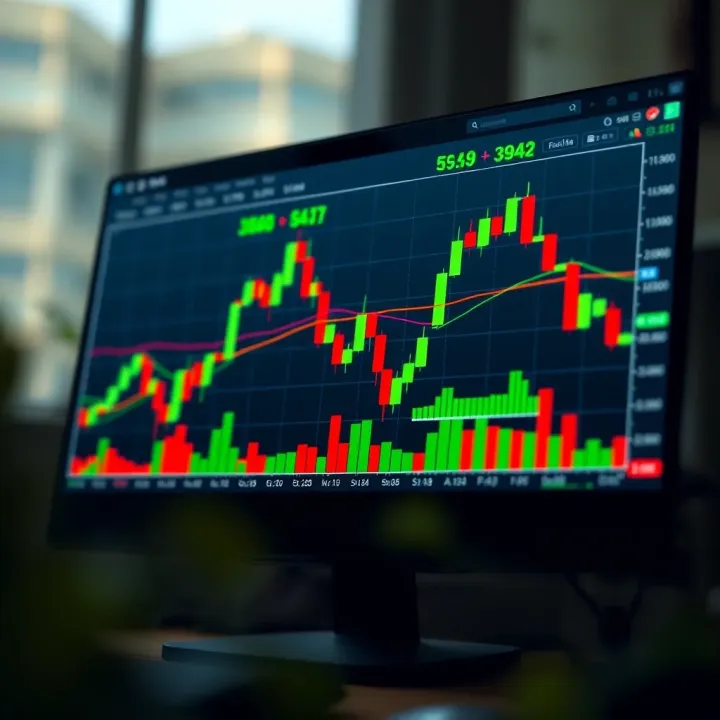
📈 Discover how to use TradingView charts in Pakistan! Learn chart types, technical indicators, alerts, and broker integration for smarter trading decisions.
Based on 12 reviews