

Top Trading Apps for Investors in Pakistan
📈 Discover the best trading apps for Pakistani investors! Compare features, fees, security, and support to find the perfect fit for your trading style. 🇵🇰
Edited By
Sophie Marshall
Trading has become surprisingly accessible thanks to the rise of online trading apps, and Pakistan is no exception. More folks here are now dipping their toes into the stock market, thanks largely to smartphones and better internet access. But with so many apps floating around, it’s easy to feel stuck or overwhelmed, especially if you’re new to this whole thing.
This guide aims to clear up the fog. We'll cover the essentials—what makes a good trading app, how to download one safely, and what features you should keep your eyes peeled for. Whether you're a newbie trying to understand the ropes or someone who's traded before but wants a more reliable app, you’ll find straightforward advice here.
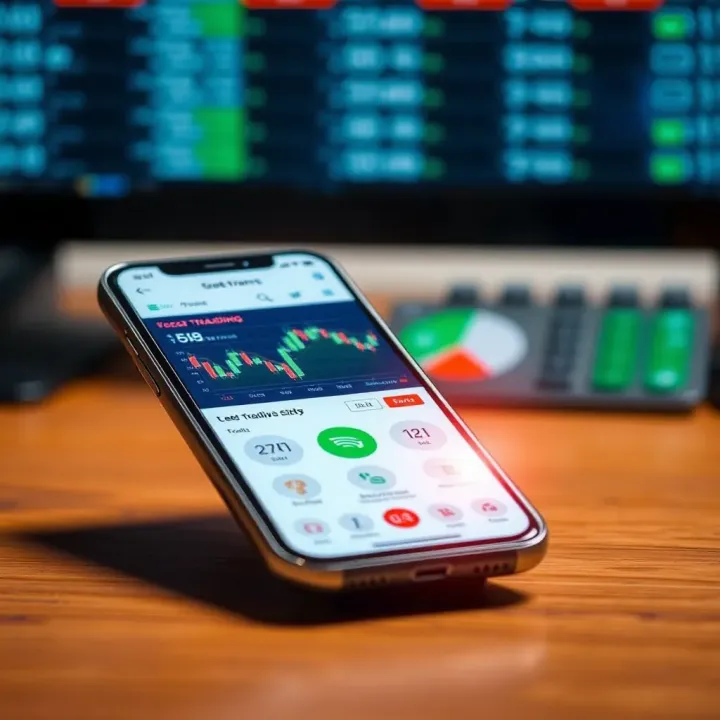
Getting started with trading apps doesn’t have to be complicated or risky. The right info can help you trade smarter and safer.
You’ll learn step-by-step instructions tailored for Pakistani users, along with tips to avoid common pitfalls. From dealing with app permissions to understanding investment options available locally, this article sets you up with practical knowledge to trade confidently.
In short, this isn’t just about clicking download and hoping for the best. It’s about knowing what to expect and how to use these tools effectively. So let’s jump in and make sure you’re not just trading, but trading smart.
Trading apps have become a real game-changer for investors, especially in Pakistan where accessibility to financial markets is growing but still has some hurdles. Using a trading app means you’re no longer tied to a desktop or a broker's office hours, which can be a huge advantage if you want to keep an eye on the market and act quickly. Given the volatility of stock markets, being able to jump in or out of a trade at a moment’s notice can make all the difference between a loss and a gain.
One of the biggest pulls of trading apps is their convenience. You can access the markets anytime and anywhere. Remember that time you were stuck in a boring traffic jam in Karachi and suddenly noticed that the PSX opened one point lower? With a trading app, you can react immediately — no need to wait until you reach home or an office. This means you don’t miss out on opportunities that might only last for minutes or hours.
Another big plus is instant notifications and updates. Instead of refreshing websites over and over, the app pushes updates straight to your phone. If the price of a stock you follow suddenly spikes or drops, you get an alert right away. This kind of real-time info is essential, especially when you’re balancing everyday life with trading. Notifications help ensure you don’t miss key news or changes in your portfolio.
Trading via apps is much faster compared to traditional ways. No more sitting on hold waiting to speak to a broker or filling out paperwork for hours. The moment you tap “buy” or “sell,” the transaction goes through almost instantly. This speed is crucial in today’s market where prices can shift in seconds, particularly with volatile stocks or sectors.
Cost is another area where apps have the edge. Many apps offer lower fees and commissions than traditional brokers. For instance, apps like PSX’s official trading app or other local platforms often charge slimmer fees since they have fewer overhead expenses. This can mean more of your money stays invested rather than getting eaten up by transaction costs. Over time, especially for active traders, saving on commissions can add up significantly.
When deciding whether a trading app is right for you, think of it as having a personal broker in your pocket—ready to react quickly, save you money, and give you updates wherever life takes you.
Overall, using a trading app today is about blending speed, access, and cost-effectiveness. In Pakistan’s growing financial landscape, these tools help both beginners and experienced traders stay connected and competitive without the usual headaches of traditional stock trading.
When it comes to picking a trading app in Pakistan, not all options fit the bill. A good trading app isn't just about flashy graphics or bells and whistles; it’s about being aligned with local needs, regulations, and user ease. Plus, with the PSX growing and more folks joining the trading world, choosing the right app ensures you aren’t stuck with delays, language barriers, or security headaches.
Trading apps designed for Pakistani users should have seamless integration with the Pakistan Stock Exchange (PSX). This means real-time access to PSX data, direct order placements without lag, and updates matching the official exchange timelines. For instance, apps like MTrade and PSX's own mobile platform hook straight into the PSX servers, letting you place orders as if you were right there at the broker's desk.
Why is this important? Imagine trying to sell shares but your app delays by a few seconds during peak trading hours — you could lose out big time. So, check if the app explicitly states PSX compatibility or lists authorized brokers connected to it. Local integration also means the app understands regional trading rules, reducing the chance of errors or rejected trades.
Language can make or break your trading experience, especially when markets move fast and you need quick decisions. Apps catering to Pakistan offer their interfaces in Urdu, English, or sometimes both. For many traders, using an app in Urdu lets them understand charts, terms, and notifications clearly without guesswork.
Take the 'KSE Mobile' app for example; it offers both language options, allowing users to switch according to their comfort level. The availability of Urdu isn't just a convenience but a sign that the app respects its user base, helping reduce mistakes from misunderstanding terms. If you're comfortable with English, make sure the app's terminology isn’t overly technical or cluttered with jargon.
Security is a top priority when dealing with investments. Two-factor authentication (2FA) adds an extra lock on your account, requiring not just a password but a second piece of info, like a code sent via SMS or generated by an app like Google Authenticator.
Many apps, including PSX’s official app and other trusted brokers like HBL Konnect, offer 2FA to prevent unauthorized logins. Considering phishing and hacking attempts on financial apps are not unheard of in Pakistan, 2FA isn't just a feature, it’s a necessity. Always enable 2FA wherever available to keep your account safe.
You’d want your personal and financial info handled carefully. Good trading apps encrypt your communication—think of it as sending your data in a locked box only the right people can open. This protects you on public Wi-Fi or any insecure network, which is common in many parts of Pakistan.
Before downloading, skim through the app’s privacy policy to understand what data they collect and how it’s used. Brands like MCB Trade clearly outline their strict data controls, reassuring users their information won’t wind up on shady servers or sold off to third parties. If an app doesn’t mention encryption or has no clear privacy statement, consider it a red flag.
When trading apps focus on local market integration and robust security, Pakistani users get the best mix of convenience, reliability, and protection. Don’t just settle for an app because it’s popular; dig into whether it actually fits how you trade and safeguards your investments.
Finding a reliable trading app is the first step toward successful and stress-free trading. With so many apps floating around, especially in Pakistan’s growing digital market, knowing where to look matters a lot. Picking the wrong source can lead to downloading scams or outdated apps that could put your money or personal info at risk.
Official app stores like Google Play for Android devices and the Apple App Store for iPhones are the go-to places for downloading trading apps. These platforms have rigorous screening processes that weed out dodgy and fake apps before they hit the store shelves. For example, if you're looking for apps like PSX Mobile or HBL Konnect trading platforms, getting them from these stores ensures you’re installing the real deal verified by Google or Apple.
Downloading from official app stores offers several perks:
Security checks: Apps are scanned for malware and suspicious behavior, lowering chances of viruses.
Automatic updates: Updates roll out smoothly, keeping apps running with the latest features and bug fixes.
Reliable payment gateways: If the app requires in-app purchases, official stores handle payments safely.
Remember, sticking to official sources means fewer headaches and better peace of mind with your trading apps.
Sometimes, brokers provide direct download links on their official websites. This is common with more sophisticated apps that might not be on app stores immediately. Before clicking on these links, confirm the website’s URL closely matches the official broker’s domain. For example, brokers like AKD Securities or Next Capital often host their apps on their sites. A quick check on the site’s SSL certificate (look for the padlock in the browser) can also reassure you that the connection is secure.
Phony trading apps can mimic popular platforms but are designed to steal your credentials or money. To avoid falling prey:
Always double-check the developer name; reputable brokers usually have consistent branding.
Look for user reviews outside the app store, such as on financial forums or trusted news sources.
Stay away from downloading apps through social media links or random emails claiming they offer exclusive trading access.
If something feels off, trust your instincts and do a bit more digging. It’s better to be safe than sorry, especially with money matters.
In short, always choose official app stores or directly linked broker sites when downloading trading apps. This careful approach not only saves you from hassle but also keeps your trading journey on the right track.
Downloading a trading app might seem straightforward, but following a clear, step-by-step strategy ensures you avoid common pitfalls. Especially in Pakistan, where connectivity issues and device variety prevail, making sure your device is ready and the source is trustworthy can save you from a lot of headaches later. This section breaks down the process into manageable steps focused on compatibility, safety, and smooth installation—essentials for anyone even thinking about trading through their phone.
Before you hit that download button, it's crucial to check if your device meets the app's technical demands. Many apps, like those from PSX or international brokers such as Interactive Brokers or TD Ameritrade, list their requirements clearly.
Operating system version matters more than most realize. For instance, an app might require Android 8.0 or above to work properly, or iOS 13.0 and higher on an iPhone. Using an older OS limits access to important features or might outright prevent the app from installing. Checking your device's settings to confirm your OS version often saves time and frustration. Keep in mind, updating an older phone’s OS might not be possible, so confirm compatibility before you set your heart on an app.
Storage often flies under the radar until installation fails. Trading apps can range from 20MB to over 100MB, plus they need extra space for temporary files and data storage. For example, if you plan on using apps like PSX's official trading app or eToro, ensure you have at least 200MB free to accommodate the app and smooth functioning. Running low on space can cause app crashes or slow performance, hitting your trading speed—something no trader wants.
Once your device checks out, the next step is downloading and installing your chosen trading app safely. This part cannot be overstressed because the wrong source can lead to scams or malware.
Downloading apps from the Google Play Store or Apple App Store is the safest bet. These platforms vet apps for security threats and maintain up-to-date versions. Besides, these official stores offer straightforward update paths, keeping your trading app working correctly without manual intervention. For example, to download the IG Markets app or the PSX app, search directly on these stores rather than through a web browser.
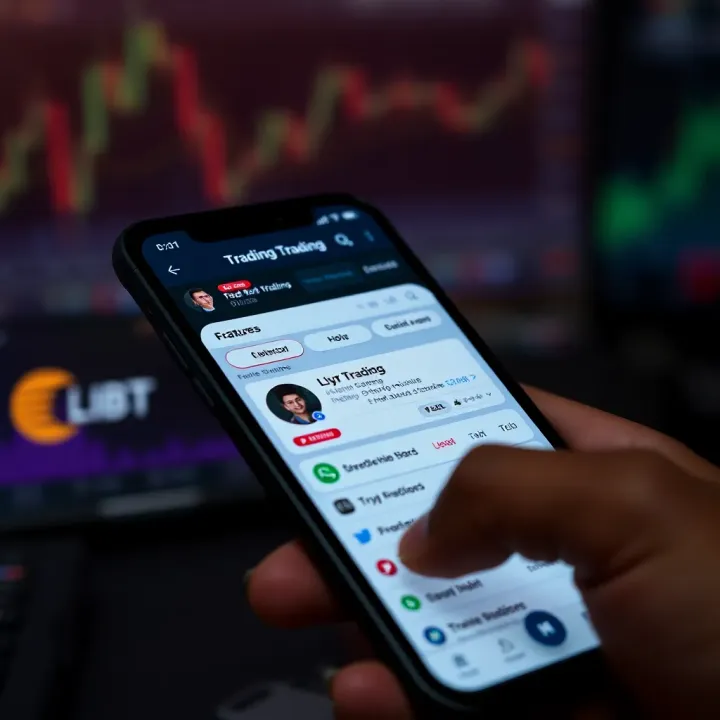
Steer clear of downloading trading apps from unfamiliar websites or links sent via email or SMS. These often are disguise-for-malware and can compromise both your personal data and your trading account. Scammers sometimes mimic popular apps to trick users. If you receive an unsolicited message claiming to offer a "better" trading app, ignore it. Always verify the app by checking the publisher's name and user reviews on official stores.
Tip: Always double-check app permissions before installation. If an app asks for unnecessary access, like your contacts or photos, that should raise a red flag.
By following these checks and safe downloading practices, you’re not just installing an app; you’re setting a solid foundation for your trading experience on mobile. Taking these simple steps seriously helps avoid downtime and protects your investments from the very start.
Setting up your trading account inside the app is an essential step before you can start buying or selling stocks in Pakistan’s market. This phase isn’t just punching in your details—it’s about verifying your identity, securing your funds, and making sure your bank connections are tight and trustworthy. A smooth setup saves you from headaches down the road, and it also protects your investments. Think of it as laying a strong foundation for your trading activity. Without this, even the best app can’t help you make money efficiently or securely.
When you register, the app will ask for some form of legal identification such as a CNIC, passport, or driver's license. This is necessary to comply with Pakistan's Securities and Exchange Commission (SECP) regulations which ensure everyone trading is properly identified. You can’t just sign up with a fake name and start trading stocks. By submitting valid identification, you help the broker verify your identity, reduce fraud, and protect your account from misuse.
Typically, you'll be asked to upload a scan or photo of your CNIC and sometimes a selfie for facial verification. Some apps may also require proof of residence, like a utility bill. This step might seem like a hassle but it’s what sets legit users apart from scammers in Pakistan’s trading environment.
Linking your bank account to the trading app is the next step after verification. This allows you to deposit money to your trading account and withdraw gains smoothly. Pakistani traders usually use banks like Habib Bank Limited (HBL), MCB Bank, or United Bank Limited (UBL) for these transactions due to their widespread branches and digital services.
Make sure your account linkage is error-free. The bank details you provide should exactly match your official bank account information — else, deposits or withdrawals might get stuck or rejected. Many apps also allow adding multiple bank accounts, which is handy if you want to diversify or have savings in different banks.
Funding your trading account is how you turn from a spectator into a player. In Pakistan, the most common payment methods for funding trading accounts include:
Bank transfers: Direct transfers from your bank account via IBFT (Inter Bank Funds Transfer) or branch deposits.
JazzCash and Easypaisa: Mobile wallets that have gained popularity for quick and easy online payments.
Credit/Debit cards: Though less used, some apps allow card payments but watch out for fees.
Being aware of these methods helps you pick the most convenient and cost-effective way to get money into your trading account.
When handling your money, security is king. Always verify that the trading app uses encrypted connections (look for HTTPS and SSL certifications). Avoid transferring funds through unknown or third-party channels where you lack control or guarantees.
Remember these tips for secure transactions:
Double-check payment details before confirming transfers.
Use two-factor authentication (2FA) on your app and bank accounts.
Avoid using public Wi-Fi when making deposits.
Keep transaction receipts or screenshots for your records.
A little caution here goes a long way — losses due to sloppy security are unfortunately common but preventable.
Setting up your trading account carefully with proper registration, verified identification, linked bank details, and secure funding methods creates a trustful and smooth trading experience. In Pakistan’s fast-evolving market, these steps ensure you can trade confidently and legally with reduced risk.
Navigating the world of trading apps can be overwhelming if you don't know what features to look for. This section shines a light on the core functionalities that every trading app should offer, especially for users in Pakistan. From up-to-the-minute market data to executing trades smartly, these features make or break your trading experience. Knowing how to use these tools effectively helps avoid missteps and lets you trade with confidence.
When you're trading, timing is everything. Live price updates show you the current market value of stocks or other securities exactly as they change. This real-time info is critical for making quick decisions in volatile markets such as the Pakistan Stock Exchange (PSX). For example, if the share price of a company like Pakistan Petroleum Limited suddenly dips or spikes, knowing this immediately can guide you to buy or sell at the best moment.
One practical tip is to keep an eye on the price ticker and not rely on delayed data from news or other sources. Many trading apps provide alerts for price movements, so you don’t miss important changes even if you’re multitasking.
Charts are more than just pretty graphs—they let you spot trends and patterns that hint at future price movements. Most trading apps allow you to personalize charts by choosing the type (line, bar, candlestick) and adding technical indicators such as Moving Averages, RSI (Relative Strength Index), or Bollinger Bands.
Customizing these helps you tailor the app to your trading style. For instance, a beginner may stick with simple moving averages to see general price directions, while an experienced trader might use multiple indicators to refine entry and exit points. Plus, adjusting chart timeframes—from minutes to months—gives you perspective from quick day trades to long-term investments.
One of the first decisions in buying or selling a stock is the type of order you place. A market order executes immediately at the best available price, handy when you want to jump on a trade fast without waiting. For example, if a favorable stock price suddenly appears, market orders get you in or out right away.
On the other hand, a limit order lets you specify the price you’re willing to pay or accept when selling. The order sits in the system until the market hits your set price. This is useful when you want to control costs and avoid paying more than planned. Suppose you want to buy shares of Fauji Fertilizer at 70 PKR, but they are trading at 75 PKR now—placing a limit order for 70 PKR means you wait until the price drops.
A stop-loss is like a safety net in trading. It automatically sells your stock if its price falls to a certain level, helping you limit potential losses. In fast-moving markets, this can save your capital when things go south unexpectedly.
For instance, if you buy shares at 100 PKR and set a stop-loss at 90 PKR, the app will trigger a sale if the price drops that far. This keeps small losses from snowballing into bigger ones. Many apps also let you use trailing stop-losses that adjust as prices move favorably, locking in profits while protecting against downturns.
Successful trading isn't just about buying low and selling high—it's about using the features your app offers to manage risks and timing efficiently.
Understanding these essential features equips you to navigate the trading scene better, especially in Pakistan's unique market context. As you get comfortable with live data, chart controls, and smart order types, your ability to make informed, timely decisions will grow, helping you become a more confident trader.
Starting out in the world of trading apps can be a bit overwhelming, especially if you're new to the market. This section addresses practical tips that can help beginners avoid common pitfalls and build confidence gradually. Trading in Pakistan has its unique traits, so understanding these tips in the local context will give you a strong foothold.
When you're taking your first steps with trading apps, beginning small is a smart move. Many apps offer demo accounts that let you practice trading without risking real money. For instance, using a demo account on apps like PSX's official trading platform or local brokers such as IGI Securities gives you a risk-free environment to get familiar with how trades work, how market orders are placed, or how stop-loss limits function.
Keeping track of your trades, even virtual ones, is another key step. This means jotting down or exporting details of each transaction, the rationale behind your decisions, and the outcome. Over time, this habit helps you spot patterns in your trading behavior and mistakes to avoid next time. Tools built into apps like Akhuwat Capital or Alfalah Securities often let you review your history easily—use them to your advantage.
Starting small and recording your trades isn't just about safety; it’s about building the skill and discipline that trading demands over time.
Staying updated with the latest news can make a huge difference. Using reliable news sources like Business Recorder, Dawn Business, or Bloomberg Pakistan equips you with real-time insights. These sources often report on currency fluctuations, government policies, and PSX movements which directly affect your trades.
Most trading apps allow you to set up notifications for market news and price changes. Using these alerts wisely means you don’t miss out on opportunities or warnings. For example, setting alarms for significant share price dips or rises in companies like Engro or Habib Bank can help you act quickly.
Remember to customize notifications so they’re helpful but not overwhelming—too many alerts can distract rather than assist.
By combining these approaches—starting cautiously, tracking progress, and staying informed—beginners can navigate Pakistan’s trading scene with greater confidence and fewer surprises.
Downloading trading apps can sometimes feel like navigating a maze, especially for beginners in Pakistan who might not be tech-savvy. Common issues like app compatibility or difficulties logging in can frustrate users and halt their trading plans. Understanding these problems and knowing practical fixes not only saves time but also secures your trading process, enabling smoother entry into the financial market.
It's not unusual for a trading app to refuse installation or crash repeatedly due to app compatibility issues. Most apps require certain minimum software versions or specific hardware capabilities, so the first step is always to look at your device's setup.
Updating device software is crucial here. For instance, if you’re trying to install a popular app like the PSX mobile trading app but your Android version is stuck at 7.0, chances are the app won’t function properly because it may require Android 8.0 or above. Updating your phone’s OS not only addresses this but also patches security holes and improves overall device performance. Just head into settings, find 'About Phone', then 'Software Update', and let your device fetch the latest version.
Equally important is checking app version requirements before you start downloading. Each app has minimum and recommended specs listed right on the Google Play or Apple App Store page. For example, a brokerage app may need 500 MB free storage and specific processor features. Skipping this step could leave you with slow, lagging software that drains your battery or locks up when you try to execute trades.
After overcoming downloader hurdles, some users get stuck on connectivity or login issues—a common roadblock that can stop trading dead in its tracks.
Resetting passwords is a straightforward but vital fix. If you find yourself locked out of your trading app, rather than guessing passwords or re-installing apps repeatedly, use the "Forgot Password" option. This typically sends a reset link to your registered email or phone number. Ensure your contact details are always up to date to avoid getting stuck. Maintaining strong but memorable passwords can also prevent frequent lockouts.
Troubleshooting internet connection is another quick win. Trading apps rely heavily on a steady internet connection to fetch live prices and process your orders instantly. If your app says "Connection Error" or your transactions aren’t going through, try toggling airplane mode on and off, switching between Wi-Fi and mobile data, or restarting your router. In rural areas of Pakistan where internet can be patchy, consider apps that offer offline mode features or lower data consumption. Sometimes, simply restarting your device refreshes the connection and clears temporary glitches.
Paying a bit more attention to these technical details can save you the headache of missed trades and unnecessary delays, keeping your investment game smooth.
Addressing these common problems step-by-step ensures you stay connected and in control while trading. Always keep device software up-to-date, verify app requirements, manage passwords wisely, and maintain good internet connectivity, so the trading app serves you well without hiccups.
Trading through mobile apps opens up access to markets in an instant, but it also comes with legal responsibilities and risks you must be aware of, especially in Pakistan’s regulatory environment. Understanding the legal and regulatory aspects not only protects your investments but also helps you identify safe, trustworthy platforms. Ignoring these can lead to hefty penalties or, worse, getting scammed.
Pakistan’s Securities and Exchange Commission (SECP) is the watchdog for financial markets, including trading apps. It sets rules to ensure everything runs smoothly and investors are shielded from unfair practices. For example, SECP guidelines require that all trading apps operating in Pakistan must maintain transparent records and offer clear terms for commission fees.
Practical takeaway: Before diving into trading, check if the app complies with SECP regulations. Using a non-compliant app is like driving a car without insurance—risky and unwise. Apps registered with SECP often display a license number or certificate to give you peace of mind.
Not all trading apps are created equal. In Pakistan, only those linked to licensed brokers can legally offer trading services. Licensed brokers have passed SECP’s rigorous screening, ensuring they follow the law, protect client funds, and maintain fair trading practices.
Keep an eye out for apps partnered with brokers registered on the Pakistan Stock Exchange (PSX). This link adds an extra layer of security—like a safety net under a tightrope walker. For instance, apps linked with brokers such as AKD Securities or Topline Securities have gone through SECP’s approval process.
Always verify the licensing status of your broker and associated app before committing your hard-earned money.
Phishing is one of the sneakiest fraud types targeting traders. You'll get emails or messages pretending to be from your trading app or broker, asking for passwords or personal data. Legit platforms never ask for such info via email or text.
Watch out for spelling errors, suspicious links, or urgent messages pushing you to act fast. For example, someone might send an email saying your account will be locked unless you update your details immediately, but the sender’s address looks off or the app logo is pixelated.
A simple rule: Always access your app directly through the official store or broker website instead of clicking email links.
If you notice something fishy—like unexpected transactions, strange login alerts, or weird messages—don’t sit tight. Report it immediately to your broker and the app’s customer service. Timely reporting can prevent losses and helps authorities track down scammers.
In Pakistan, SECP and PSX offer channels to report fraud. You can also inform your bank if you suspect your account details are compromised. Keeping screenshots and details handy will speed up investigations.
Prompt action is your best defense against financial fraud.
By staying alert, verifying your apps and brokers, and understanding the legal framework set by SECP, you can use trading apps in Pakistan confidently and more securely. This groundwork reduces the chance of nasty surprises and lets you focus on making smart trades.
Keeping your trading app up to date and well-maintained isn’t just a good habit—it’s essential for ensuring smooth and secure trading. In Pakistan’s fast-moving stock market, where timing and security can make or break your investments, regularly updating your app helps you stay ahead of bugs, patches, and new features. Neglecting updates can expose you to security risks or glitchy performance, so it pays to be proactive.
One of the biggest reasons to keep your trading app updated is security. When developers spot vulnerabilities, they release patches through app updates to fix these weak spots. For example, if a hacker discovers a way to intercept your login credentials or trade commands, an update will close that loophole. Trading apps like MTrade or PSX’s official app routinely push security updates to prevent data breaches and fraud. Ignoring these updates is like leaving your door unlocked in a rough neighborhood; you’re inviting trouble.
Always check the update notes in the app store before downloading to see what security fixes are included. Some updates might specifically mention protection against new phishing scams or malware, which are common threats in Pakistan’s digital trading scene.
Updates don’t just fix problems; they often introduce new features or enhance existing ones to make your trading experience better. For instance, a recent update to the UBL Omni trading app added real-time news feeds integrated with PSX data, helping users react faster to market changes. Other common improvements include faster order execution, new charting tools, or better user interface design.
Staying current with app updates ensures you benefit from tool improvements that can save time and help you make smarter decisions. Think of it like upgrading from an old flip phone to a smartphone with better apps—each update could bring a small but useful feature that fits your trading style better.
Your trading history isn’t just numbers on a screen—it’s your personal record of wins, losses, and lessons. Backup is crucial to avoid losing this data due to app crashes or accidental deletion. Many trading apps now have automatic cloud backup options. For example, accounts linked to apps like BlueTrade can sync your trade history with cloud storage linked to your email or broker account.
Regularly confirming your backup settings protects you from unpleasant surprises. Imagine tracking your trades for months only to lose everything because your app was deleted or your phone was damaged. The peace of mind from knowing your trading data is safe is priceless.
Another important part of maintenance is reviewing the permissions your trading app requests. Often, apps ask for access to contacts, location, or even camera and microphone—permissions not necessarily relevant for trading. On Android or iOS, you can manage these permissions in the settings and revoke anything that seems unnecessary.
Limiting permissions reduces the risk of your personal data being misused. For example, a trading app shouldn’t need access to your gallery or messages. If you spot such permissions, it might be a red flag, indicating the app could be overreaching. Always keep your app permissions tight to reduce exposure to data leaks or privacy breaches.
Regularly updating and carefully managing your trading app ensures it remains a trustworthy tool rather than a potential liability.
In the Pakistani market, where cyber threats and tech challenges sometimes make the headlines, staying on top of updates and data management is not just about convenience—it’s about protecting your hard-earned money and your digital identity.
While mobile trading apps are great for quick access and on-the-go investing, they aren’t always the be-all and end-all. Alternatives like desktop trading platforms and complementary tools such as financial news apps play a significant role in a well-rounded trading strategy. These options help traders get a more comprehensive view of markets, analyze data in-depth, and manage their investments better.
Using just one tool limits your perspective. For example, a desktop platform often offers extensive charting tools and faster order processing, which aren’t always available on mobile apps. Meanwhile, financial news and portfolio management apps keep you updated and organized, helping you make smarter decisions.
Exploring these alternatives alongside your trading app can improve your efficiency and confidence in the market.
Desktop platforms come into their own when you're dealing with complex trades or multiple accounts. If you’re analyzing charts or running detailed technical indicators, the larger screen and robust software on desktop give you an edge. Think about situations where you're managing stop-loss strategies, setting conditional orders, or monitoring several stocks at once — desktop tools make these easier to handle.
Moreover, if you’re someone who trades frequently during market hours, desktop platforms generally offer faster execution speeds and more reliable connections, reducing the chances of glitches. For Pakistani traders juggling multiple tasks, this can save valuable time and reduce frustration.
Desktop trading platforms usually pack in features that mobile apps can’t match. These include:
Advanced charting options: Multiple timeframes, various technical indicators, drawing tools
Multiple order types: Market, limit, stop, stop-limit, trailing stop
Watchlists and alerts: Customize and monitor many stocks simultaneously
In-depth research tools: Integrated market news, analyst reports, and company profiles
For example, platforms like MetaTrader or Interactive Brokers’ desktop version provide such tools, enabling traders to dive deep into data.
Keeping tabs on the latest news is a must, especially in markets as dynamic as Pakistan’s. Apps like Bloomberg, Reuters, or local platforms like Dawn Business offer real-time updates that help traders anticipate market moves. Trading apps often have some news integration, but dedicated news apps deliver more comprehensive and timelier reports.
Using these news apps alongside your trading platform ensures you don't miss important economic announcements, policy changes, or breaking news that can impact stock prices. For example, if the State Bank of Pakistan announces an interest rate cut, quick access to this information can shape your trading decisions immediately.
Portfolio management apps help you get a bird’s eye view of your finances beyond just stock trading. Tools like Personal Capital or Monefy assist in tracking multiple investments, expenses, and savings in one place. This is especially helpful for Pakistani investors who often juggle portfolios including stocks, mutual funds, real estate, and even cryptocurrencies.
By centralizing your data, these apps highlight performance trends, diversification gaps, and risk exposure, allowing you to rebalance your portfolio as needed. Instead of switching between various statements or apps, a good portfolio tracker streamlines everything neatly.
Remember: No single app covers all bases perfectly. Using a combo of desktop platforms and financial management tools alongside your mobile trading app can make your investing process smoother and more informed.
📈 Discover the best trading apps for Pakistani investors! Compare features, fees, security, and support to find the perfect fit for your trading style. 🇵🇰
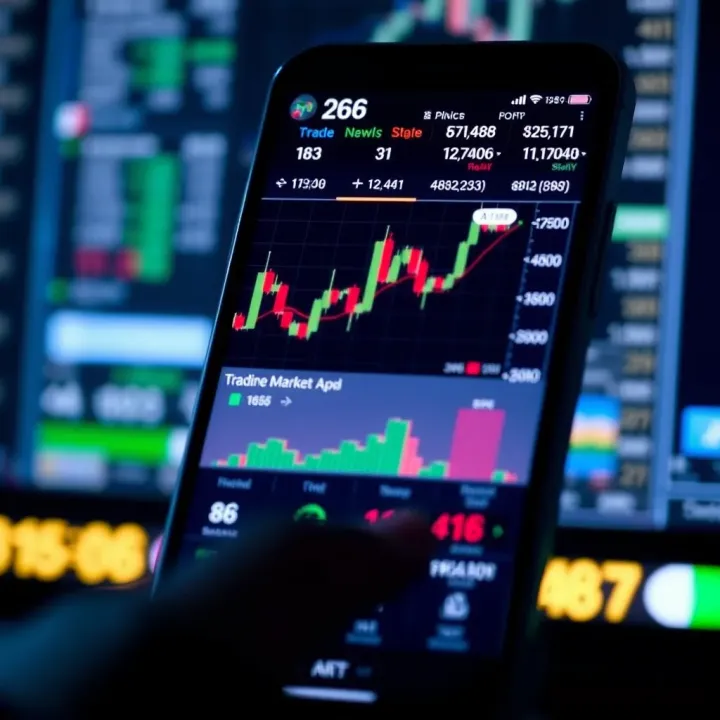
📱 Find the best trading app for Pakistan traders! Explore features, fees, security, and ease of use to match your style and investment goals today.

📚 Discover how to safely download and use trading books in PDF format in Pakistan. Learn about free and paid options, legal tips, and ways to boost your trading skills.
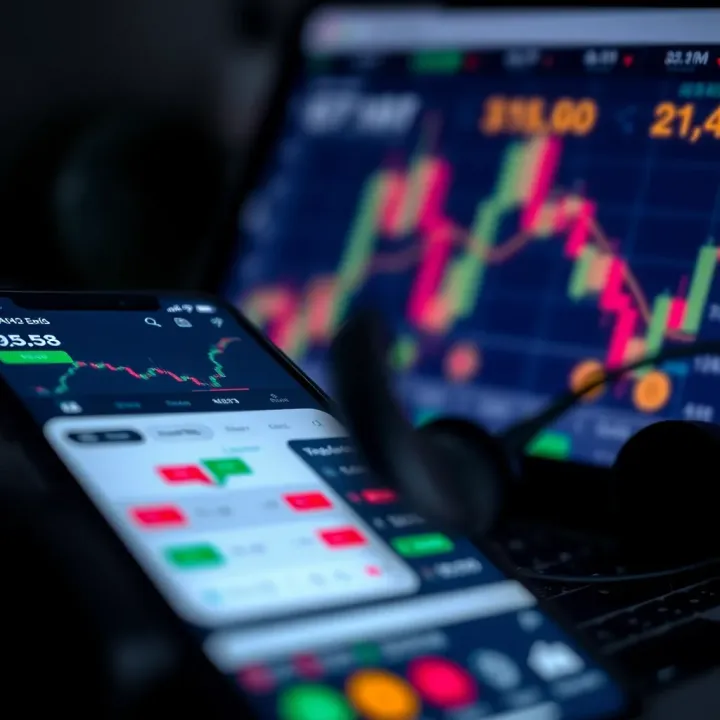
📱 Explore top trading apps in Pakistan with our clear guide! Learn features, costs, security tips, and how to choose the best app for confident investing. 💹
Based on 12 reviews