
Using TradingView for Market Analysis: A Practical Guide
📈 Learn how to master TradingView for stocks, forex & crypto markets in Pakistan. Step-by-step guide to charts, indicators, and social tools for better trades.
Edited By
Olivia Bennett
TradingViews has become a staple for traders and investors all over, especially here in Pakistan where market conditions can shift fast. Understanding how to use this platform isn’t just helpful—it’s essential if you want to keep pace with global and local markets.
In this article, we’ll break down what TradingViews offers, from its charts to its tools, so you get a solid grasp on using it effectively. We’ll look at how to read the data it provides, utilize its various indicators, and tap into the community insights that can give you an edge.
Whether you’re just starting out or looking to sharpen your analysis skills, knowing how to navigate TradingViews can seriously improve your trading decisions. So, buckle up—let’s dive into this toolkit that’s made a real difference for traders here and worldwide.
Getting a grip on TradingViews is a smart move for anyone serious about market analysis. This platform doesn't just throw charts at you; it offers practical tools that traders actually use to make sense of market chaos. Whether you're tracking the Karachi Stock Exchange or keeping an eye on Forex swings, getting familiar with TradingViews can bridge the gap between guesswork and informed decisions.
It's like having a cockpit full of instruments tailored to help you understand what's happening in real time. For example, if you're interested in how a sudden policy change in Pakistan could affect the rupee, TradingViews pulls in live data and visual cues to spot trends as they form. This section lays the groundwork by explaining exactly what TradingViews are and why traders from beginners to pros rely on this platform every day.
TradingViews is an online platform designed to provide detailed market charts, real-time data, and a suite of technical analysis tools. Its purpose is straightforward: to give traders and investors a way to visualize price movements and market trends across a wide range of financial instruments—from stocks and forex to cryptocurrencies. Think of it like the trader's Swiss Army knife, where you can slice and dice market data your way.
The platform acts as a go-to hub where you can read price behavior with visual tools that make patterns pop out at you. It assists traders by simplifying complex data into graphical formats that even someone new to trading can start understanding quickly. For instance, a candlestick chart on TradingViews can show you if a stock like Pakistan’s PSX top companies is gathering steam or cooling off. Plus, you get access to indicators and alerts that help in timing your trades smarter.
TradingViews comes packed with features such as a flexible charting system, a library of over 100 technical indicators, drawing tools to mark support or resistance levels, and social sharing capabilities. You can customize charts, save layouts, set alerts, and even follow or copy trades from top-performing market participants. These features make the platform versatile not just for analysis but also for community interaction, which helps broaden your trading perspective.
One key reason traders flock to TradingViews is its quick access to live data. Markets can shift in seconds, especially in volatile areas like commodities or cryptocurrency. A trader in Lahore, for example, can see updated stock prices or forex pairs instantly without refresh delays. This immediacy can mean the difference between seizing an opportunity or missing out.
There's something about a well-made chart that tells a story far clearer than numbers alone. TradingViews offers clear, intuitive charts — candlestick, line, Renko — that help traders quickly gauge supply and demand zones, momentum, and other market dynamics. Instead of clicking through rows of figures, you visually spot trends and patterns, saving valuable time.
"A picture is worth a thousand trades."
The platform also thrives on community contributions. Traders share their charts and analyses, offering fresh perspectives and ideas, which can be invaluable for beginners looking to learn or for professionals seeking a second opinion. In the Pakistani context, this means you’re never alone; you can tap into discussions relevant to local market conditions, regulations, and economic news.
In short, this introduction sets the scene for understanding TradingViews not just as a tool, but as a platform that brings data, visualization, and community together to aid smarter trading decisions. The sections ahead build on this foundation to get you trading with confidence.
Navigating the TradingViews platform efficiently is a game changer for any trader or investor. Getting comfortable with the platform’s layout and tools can save you valuable time and help avoid frustration, especially when market conditions demand quick decisions. For traders in Pakistan or elsewhere, understanding how to move around TradingViews is the foundation that supports all further analysis and activity.
Starting off on TradingViews begins with creating an account, which is a straightforward process. You provide an email, set a password, and verify your account—just like signing up for most online services. This simple step unlocks access to a variety of features, from live charts to customizable watchlists. After signing up, spend a few minutes adjusting your profile settings such as time zone, currency preferences, and notification options. These details matter because they ensure that the charts and alerts you receive are relevant to your trading environment.
Once you’re in, it's crucial to pinpoint which markets you want to follow. TradingViews covers a lot of ground—stocks, forex, commodities, cryptocurrencies, and more. By selecting your specific markets, say KSE 100 for Pakistani stocks or USD/PKR for forex, you tailor your dashboard to your trading needs. This focus streamlines your analysis and helps keep distractions at bay. Imagine you’re mainly interested in tech stocks — adding NASDAQ-listed companies to your watchlist lets you dive deep without jumping between unrelated assets.
The heart of TradingViews is its charting window. It’s where most of the action happens, showing price movements and trends visually. The platform offers flexibility in how you arrange your charts — you can view one big chart or several smaller ones side by side. For instance, if you’re comparing the performance of Pakistan’s FESCO and PSO, you might want to see both charts simultaneously. Adjusting time frames (from minutes to months) and chart styles (candlestick, line, etc.) gives you control over the detail and perspective you need.
Menus and tools are your command center on TradingViews. The menus let you switch between chart types, indicators, and account settings without hunting around. Toolbars offer quick access to drawing tools like trend lines and Fibonacci retracements, essential for marking support and resistance levels. For example, a quick click on the trend line tool allows you to connect lows and highs on a stock chart, helping identify potential breakout points. Mastering these menus and tool options means you can analyse faster and more accurately without searching all over the place.
Getting familiar with TradingViews at this stage helps traders focus on analysis rather than spending time figuring out how to use the platform itself.
Knowing your way around the TradingViews platform allows you to seize opportunities as soon as they appear. This skill doesn’t come overnight, but once mastered, it makes your trading more fluid and less stressful.
When diving into market analysis, choosing the right type of chart on TradingViews is more than just a preference; it’s about picking the tool that best tells the story of price action. For traders, each chart type offers a different lens to view the markets, helping reveal trends, reversals, and subtle signals that can lead to smarter decisions. Understanding these charts isn't just for show. It can directly impact how quickly and effectively you respond to market changes.
Candlestick charts are the bread and butter for most traders, especially in Pakistan where market fluctuations can be quite reactive to news and sentiment. Each candlestick displays four key prices: open, high, low, and close within a specific time frame. This detailed snapshot helps traders spot bullish or bearish trends and patterns like "doji" or "hammer" that can signal reversals or continuation.
Practical tip: If you're watching the Karachi Stock Exchange, candlesticks help you catch intraday momentum. For example, a strong green candle closing near its high often points to buying pressure, which could guide your entry decisions.
Line charts simplify things by connecting closing prices across intervals with a smooth line. While they don't show the price range as candlesticks do, line charts make it easy to identify overall price trends and support or resistance levels at a glance. For beginners, line charts are less cluttered and provide a clear direction without getting lost in details.
In practical terms, if you want a quick view of how the Pakistan Rupee is performing against the US Dollar over a month, a line chart quickly illustrates whether the trend is upward or downward without the noise.
Bar charts strike a middle ground, showing open, high, low, and close prices like candlesticks but in a vertical bar format. Bars give a straightforward view of volatility and price movement without the color-coded dynamics of candlesticks, making them suitable for traders who want less visual distraction but detailed price info.
Using bar charts can be handy when checking the historical price action of commodities like wheat or cotton traded on Pakistan's futures markets, giving a clear picture of price ranges within sessions.
Heikin Ashi charts smooth out price fluctuations by averaging prices, which filters out market "noise." They’re great for traders in volatile markets like Forex, often watched in Pakistan, because they make trends easier to spot and keep you in trades longer by reducing false signals.
For example, during a choppy week in the Pakistan Stock Exchange, Heikin Ashi charts can help you avoid jumping in and out by highlighting sustained trends more clearly.
Renko charts focus on price movement rather than time. They draw blocks only when price moves a set amount, ignoring minor fluctuations. This makes it easier to spot strong trends and reversals without distractions, valuable in fast-moving markets or when trading smaller time frames.
If you’re trading the S&P 500 index through TradingViews while in Pakistan, using Renko charts can help filter out sideways noise and highlight true price breakouts.
Point and Figure charts take a different approach, ignoring both time and volume, and focusing purely on price movements with columns of Xs and Os that mark rises and falls. This gives a clear view of supply and demand zones and is useful for spotting breakout points.
For traders interested in long-term positions on Pakistan's equity market, Point and Figure charts can reveal significant support and resistance levels without the clutter of typical daily price swings.
Choosing the right chart type depends on your trading style, the market you follow, and your personal preference for detail versus clarity. Experimenting with these options on TradingViews gives you powerful tools to read the market better and tailor your strategies effectively.
Indicators and drawing tools are at the heart of technical analysis on TradingViews. They help traders make sense of market data by highlighting trends, momentum, and possible reversal points. By using these tools effectively, you'll avoid guesswork and make decisions backed by clear visual cues. For example, spotting when a stock is overbought or identifying a breakout early can save you money and boost profits. This section explains some of the most popular indicators and drawing techniques, illustrating their practical use in everyday trading.
Moving averages smooth out price data to show the overall direction of a market, cutting through the noise of daily fluctuations. For instance, the simple moving average (SMA) averages closing prices over a set period, such as 50 days. Traders often watch for the price crossing above or below the SMA to signal buying or selling opportunities.
Take an investor tracking the Pakistan Stock Exchange (PSX): if the 50-day SMA crosses above the 200-day SMA, it could indicate a bullish trend. This "golden cross" is a widely watched signal indicating potential upward momentum.
RSI measures the speed and change of price movements, telling if an asset might be overbought or oversold. The RSI value ranges between 0 and 100; typically, readings above 70 suggest overbought conditions (possible price drops ahead), while below 30 indicate oversold conditions (potential rebound).
Traders can combine RSI with other indicators to time entries better. Suppose you see a stock in the Karachi market with RSI below 30 and price touching long-term support — that might signal a good time to buy before a rebound.
The Moving Average Convergence Divergence (MACD) indicator shows momentum by comparing two moving averages: usually the 12-day and 26-day EMAs (Exponential Moving Averages). The MACD line crossing above the signal line hints at upward momentum, while crossing below signals potential declines.
A practical use: if you're tracking a forex pair like USD/PKR, watch for MACD crossovers alongside volume spikes. This combo can signal strong shifts in momentum worth acting on.
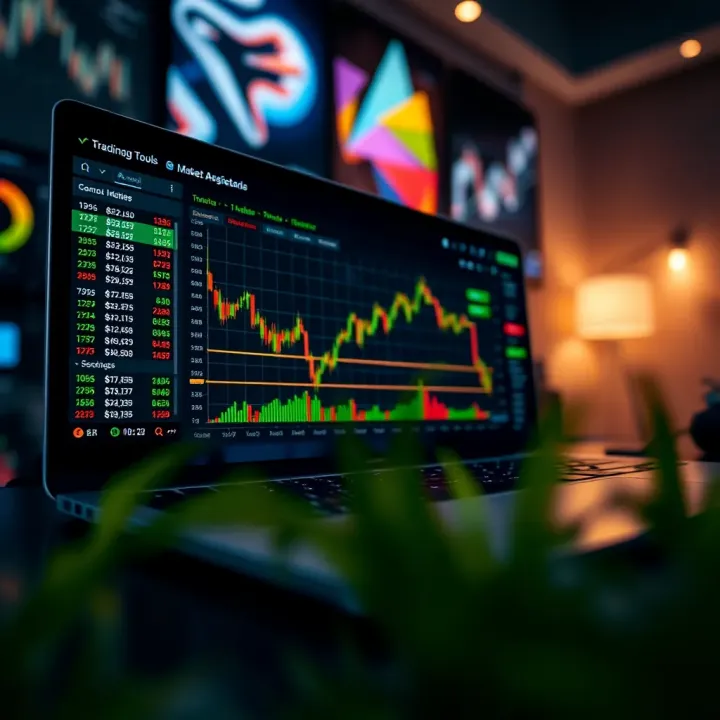
Drawing trend lines helps you visually track the direction of prices over time by connecting consecutive highs or lows on the chart. An upward trend line formed by joining rising lows indicates a bullish market; a downward one by connecting lower highs signals bearish pressure.
Applying trend lines on TradingViews is straightforward — click, drag, and adjust as the chart evolves. It helps you anticipate where price might find support or resistance. For example, while analyzing the PSX, drawing trend lines along the swings can clarify when to exit your trade before a possible reversal.
Fibonacci retracements mark key levels where price may pull back or continue its trend. Traders use horizontal lines at percentages of a previous move (usually 23.6%, 38.2%, 50%, 61.8%) to predict support and resistance zones.
Imagine you’re tracking Oil prices on a commodities chart in TradingViews — after a strong upward move, a pullback often stalls near these Fibonacci levels. Spotting this can give you an edge to enter or add to your position at a better price.
Support and resistance zones are price ranges where buying or selling pressure has repeatedly emerged. Identifying these on charts helps predict where prices might pause or reverse.
Using drawing tools on TradingViews, you can highlight past highs and lows to visualize these zones. For example, a trader watching major banks in Islamabad might notice a resistance level at PKR 150. If prices approach and fail to break this level multiple times, it’s a clear sign to watch for a potential reversal or breakout.
Using indicators and drawing tools together lets you build a clearer picture of market conditions. They reduce guesswork and help you trade smarter, not harder. Practicing these tools on real charts improves your skill in spotting actionable setups, giving you an edge in markets with fast-moving data.
Properly used, these features on TradingViews empower traders in Pakistan and elsewhere to navigate market complexities with confidence.
Customizing your TradingViews setup is a game-changer for any trader looking to save time and improve analysis efficiency. Think of it like setting your workspace exactly the way you want — making sure your tools and screens are right where you need them. This not just speeds up your decisions but also helps avoid mistakes caused by jumping between too many charts or tools.
Tailoring your experience includes everything from saving personalized chart layouts to setting up alerts that keep you updated without staring at the screen all day. Whether you're a newbie or a seasoned trader, these features let you focus on what matters — trading smartly without clutter.
Templates on TradingViews are like preset outfits for your charts — they save you from dressing up your analysis every time. Setting up a template means you choose your favorite chart type, indicators (like RSI or MACD), drawing tools, and timeframes, and save this combination with a name.
For example, if you always analyze Pakistani stocks using a daily candlestick chart with moving averages and Fibonacci retracements, setting up a template saves you from adding these tools separately every single time. This instantly loads your preferred setup, letting you dive straight into analysis.
This practice saves time and keeps your workspace consistent. If you’re testing different strategies or tracking multiple markets, you can create multiple templates catering to each purpose.
Switching between saved layouts is handy when you trade different instruments. Maybe you look at forex charts in the morning and switch to commodities in the evening. TradingViews lets you switch between these saved layouts seamlessly without reshaping your charts from scratch.
Just select your saved layout from the menu, and your charts, indicators, and tools refresh exactly as you left them. This practical feature prevents the hassle of repetitive setup and keeps your focus sharp.
This flexibility means no extra fumbling or wasted time — you can adapt your analysis to what's hot in the market without losing momentum.
Price alerts in TradingViews are straightforward but powerful. You can set these alerts on specific price points — say, when a stock listed on Pakistan Stock Exchange hits Rs. 120 or drops below Rs. 110. Once the price hits your set level, you get an instant notification via email, phone app, or browser pop-up.
This saves you from glued-to-the-screen trading, especially when markets are volatile. For instance, if Karachi's market opens and you can’t monitor charts all day, alerts keep you in the loop about key price moves so you don’t miss trading opportunities.
Setting alerts also helps in risk management, so you can be ready to exit a trade automatically when the price crosses a loss-threshold you set.
Indicator alerts are a bit more advanced but incredibly useful. Instead of waiting for price changes, you get notified based on indicator conditions — like when the RSI dips below 30 suggesting oversold conditions, or when MACD crosses its signal line hinting at a trend reversal.
For example, you might create an alert for the Relative Strength Index crossing above 70 for an overbought condition in a top traded stock like Lucky Cement. This gives you a nudge to re-evaluate your position and maybe lock in some profits.
These alerts enable proactive trades rather than reactive ones, making your strategy tighter and well-informed.
Tip: Combine both price and indicator alerts for a broader view, ensuring you catch both market moves and underlying momentum changes.
Customizing your TradingViews experience — from saving chart templates to setting focused alerts — transforms how efficiently you engage with markets. It’s about working smarter, freeing you from manual chores, and giving you the edge to make timely, confident trading decisions right from the hubs of Pakistan or anywhere else.
In trading, staying updated is like having a sixth sense. Real-time data and market news are your eyes and ears in a fast-paced environment. Without them, traders miss out on opportunities or, worse, get blindsided by sudden moves. For anyone using TradingViews, understanding how to access these timely updates is critical. Let's break down why this matters and how you can use it to get a leg up in the market.
TradingViews supports a wide range of stock exchanges from around the world, including major ones like the New York Stock Exchange (NYSE), Nasdaq, London Stock Exchange (LSE), and Pakistan Stock Exchange (PSX). For Pakistan-based traders, having access to PSX data means you can watch local market movements as they happen, rather than relying on delayed reports.
Each exchange offers its own trading hours and rules, which TradingViews reflects accurately. This feature allows you to track different markets without leaving the platform. For example, if you want to watch both the US tech sector and Pakistani banking stocks simultaneously, TradingViews helps you do that with up-to-the-minute quotes.
Aside from stocks, TradingViews also pulls data from major forex pairs like USD/PKR, EUR/USD, and GBP/USD, as well as commodities such as gold, oil, and silver. Real-time forex and commodities feeds are vital because they react quickly to economic news and global events - something Pakistani traders keen on import/export businesses or remittances should monitor closely.
These feeds aren’t just numbers. They reflect underlying market sentiment and shifts in supply and demand. For instance, when crude oil prices spike due to geopolitical tensions, currencies of oil-dependent countries often follow suit on TradingViews charts, giving traders a heads-up to adjust their strategies.
Financial markets don’t exist in isolation. A policy change in the US, a stock market rally in China, or political unrest anywhere can send ripples through markets globally. TradingViews makes it easier to keep an eye on these events by incorporating news feeds directly into the platform.
For example, if a major announcement comes out about Pakistan’s economic reforms or central bank decisions, traders can instantly see how that impacts their charts and positions. This ability to connect news with price action reduces guesswork and helps create trades based on solid understanding, not just gut feeling.
News widgets on TradingViews act like a ticker tape of information tailored to your interests. You can customize these widgets to show news related to specific securities, sectors, or economic indicators. Instead of hopping between news websites, you get a streamlined feed right next to your charts.
A practical tip: Set your news widgets to focus on Pakistan economy updates, Islamic finance news, or commodities relevant to local traders. Then, while monitoring charts, you get instant context—say a surge in gold’s price alongside a report about inflation concerns in Pakistan.
Staying plugged into real-time data and market news isn't just a convenience—it can be the difference between catching a golden opportunity or missing the boat entirely.
In short, TradingViews offers a well-rounded setup for accessing live market data across several asset classes and globally recognized exchanges. When combined with integrated news streams, traders in Pakistan and worldwide can make faster, smarter decisions without hopping across multiple platforms or getting stuck with outdated info.
TradingViews isn’t just about charts and numbers; its social side is what really sets it apart. Community features allow traders to connect, share ideas, and learn in a way that feels personal and immediate. This interaction is particularly valuable for newer traders who benefit from seeing different perspectives and for experienced ones looking to test and refine their strategies. For Pakistani traders, who often face unique market challenges, these community features offer a window into global trading insights while fostering local connections.
One of the most direct ways to benefit from TradingViews' community is by exploring shared analyses. Traders regularly publish their chart setups, trade ideas, and technical breakdowns. This helps users spot patterns they might not have noticed or understand how certain indicators are applied in various markets. For example, you might find a forex trader who posts detailed RSI setups for USD/PKR—a pair that doesn’t always get high attention elsewhere. By watching their analyses, you learn how to interpret fluctuations and improve your own decision-making.
Following shared posts often provides handy shortcuts to learning—much like peeking over a seasoned trader's shoulder. You can filter these analyses by asset class, popularity, or newest to stay relevant. This fosters a continuous learning curve supported by real market conditions rather than textbook theory.
Another perk of the social features is learning from those who’ve been in the trenches longer. Experienced traders on TradingViews often share insights not just about what to trade but how to think while trading. They talk about managing risk, emotional discipline, and timing—all nuts and bolts essential for success but rarely covered in simple tutorials.
For instance, a veteran trader might narrate why they chose particular entry and exit points during volatile market phases in the Karachi Stock Exchange, highlighting risk management. This goes beyond charts, offering practical wisdom you can pocket and apply. Observing these seasoned traders up close helps you avoid common pitfalls and adopt strategies suited to your own style and conditions in Pakistan’s markets.
TradingViews shines best when you, too, join the conversation by sharing your views. Publishing your charts with annotations, trend lines, and notes does more than show off your acumen; it invites feedback and sometimes sparks healthy debates. Suppose you’ve identified a potential breakout in Pakistan’s oil refinery stocks. Sharing the chart not only helps others see your reasoning but also prompts them to weigh in, maybe pointing out factors you missed.
Publishing ideas regularly can build your reputation in the community, creating networking opportunities. Plus, explaining your thought process sharpens your analysis skills, forcing you to be clear and concise. It’s a win-win.
Publishing is just the start; engaging in comments completes the circle. Responding to questions or counterpoints encourages a lively exchange of ideas, making the learning deeper and more dynamic. Even a quick reply to a skeptic or a thank-you for a compliment fosters goodwill and motivates you to keep sharing.
Moreover, these conversations often reveal nuances in market behavior or nuances in indicators you might not have considered. For instance, a peer might challenge your take on a resistance level, leading to a detailed discussion about volume spikes in the PSX. This back-and-forth interaction enriches your understanding and helps build a support network.
Active participation in TradingViews’ community isn’t about showing off—it’s about growing as a trader through shared wisdom and honest dialogue.
Through following others and sharing your own insights, TradingViews becomes more than a tool—it becomes a living classroom where traders in Pakistan and worldwide learn from each other. This social aspect makes a powerful addition to technical analysis, helping you make better-informed and more confident trading decisions.
Using TradingViews effectively can really give traders an edge by helping them craft well-informed strategies. It's not just about looking at charts; it's about turning those charts into a practical game plan. For traders in Pakistan and elsewhere, blending these insights helps minimize guesswork and adds a layer of discipline to trading moves. Within this context, TradingViews acts like a toolbox, offering various instruments to hone entry points, control risk, and validate strategy performance.
One of the most basic but critical steps in any trading plan is defining when exactly to enter and exit trades. TradingViews makes this easier by letting you mark potential entry levels on charts with tools like horizontal lines or price markers. It's important to identify these points not just randomly, but based on sound analysis such as support and resistance zones or indicator signals like Moving Average Crossovers. For example, a trader might decide to enter a stock when it breaks above its 50-day moving average and plan to exit if it falls 3% below the entry price to limit losses.
With TradingViews, you can visualize these ideas clearly, so you’re not making snap decisions but following a pre-decided strategy. Setting these points ahead of time stops emotional trading and helps keep your moves consistent with your overall plan.
Risk management is the unsung hero of successful trading. TradingViews offers tools like the 'Risk/Reward' calculator that helps traders estimate how much they're risking versus the potential gain. For instance, you can draw lines to mark your stop-loss and target price, and the platform will calculate the risk/reward ratio, making sure the risk stays within acceptable limits.
Traders can also use indicators such as ATR (Average True Range) to set stop-losses dynamically based on market volatility. This is handy in markets like forex or commodities popular in Pakistan, where price swings can be quite rapid. Using these features helps traders avoid big losses that could wipe out gains from a string of successful trades.
Before risking real money, it's smart to test your strategy on past data to see how it might have performed historically. TradingViews provides access to a wide range of historical prices, covering stocks, forex, commodities, and indices. This helps you understand if your entry and exit signals would have actually worked in previous market conditions.
For example, if you want to test a moving average crossover strategy on the Pakistan Stock Exchange, you can pull up data from the last 5 years and visually or programmatically simulate trades. This insight can prevent you from using a strategy that's weak or outdated.
Backtesting is only as useful as the evaluation of the results it provides. TradingViews enables traders to review metrics like net profit, win rate, maximum drawdown, and risk/reward ratios after running past data tests. This tells you whether the strategy was consistently profitable or if it had long losing streaks.
A good approach is to look beyond just profit numbers. For instance, a strategy that yields 10% annual returns with limited drawdowns might be preferable for cautious traders over one that shows higher profits but huge peak losses. Using these evaluations, traders in Pakistan can tailor strategies that fit local market volatility and their personal risk appetite.
Remember, even the best strategies need ongoing review and tweaking. Market conditions shift, and TradingViews gives you the tools to keep your plan adaptable and grounded in data.
Overall, TradingViews serves as more than a charting platform—it’s a practical support system for traders wanting to build, test, and refine their trading strategies with confidence.
In today's fast-paced trading environment, staying connected to the markets is not just a convenience—it’s often essential. TradingViews recognizes this need and offers both mobile and desktop applications tailored to fit different trading styles and preferences. These apps bridge the gap between accessibility and powerful features, ensuring traders don’t miss a beat whether they’re commuting or at their workstation.
Mobile apps shine when it comes to flexibility. For traders, being able to access charts on the go means they can keep an eye on market movements anytime, anywhere. Imagine a trader in Karachi heading to a meeting but still able to check forex trends or watch stock patterns on their phone. The app’s responsive design ensures charts load quickly and remain interactive, allowing zooming, switching between chart types, or adding indicators with just a few taps.
Another critical feature is receiving instant alerts. The mobile app sends real-time push notifications for price movements, breaking news, or indicator triggers. This keeps traders ahead of sudden market changes without needing to stare at the screen constantly. For instance, if the price of a key support level breaks in the oil futures market, a trader gets immediate warnings to adjust their strategy. This direct line of communication means opportunities or risks are never overlooked.
While mobile offers portability, the desktop version of TradingViews brings muscle, especially for serious analysis. One standout advantage is multi-monitor support. Traders can spread out multiple charts, watchlists, and news feeds across several screens, creating a personalized command center. A Pakistan-based equity trader might have one screen tracking KSE-100 movements, another for detailed candlestick charts, and a third showing live news. This setup helps keep tabs on many markets simultaneously and respond quickly.
The desktop platform also boasts advanced analysis tools not always practical on smaller devices. These include features like detailed backtesting tools, complex indicator combinations, and scripting with Pine Script, TradingViews’ proprietary coding language. Such tools allow traders to build custom indicators or automate parts of their strategy, which is invaluable for refining trading plans and improving outcomes.
Whether on mobile or desktop, the key is finding the setup that lets you react to the market when it matters most—without getting overwhelmed.
In summary, the mobile app delivers convenience and instant updates, perfect for traders who need flexibility. Meanwhile, the desktop platform provides the depth and workspace suited for deep dives and multi-tasking. Together, they form a comprehensive approach that caters to diverse trading needs, crucial for traders operating in dynamic markets like Pakistan’s.
Subscription plans on TradingViews play a key role in how traders access and use the platform’s features. Understanding what different plans offer can help you avoid surprises and make the most of your investment. It's especially vital for traders in Pakistan, where budget and trading style intersect uniquely. By choosing the right plan, you get access to tools that fit your needs—whether you’re an occasional trader or someone actively watching the markets all day.
Starting with TradingViews' free option is a smart move for beginners and casual traders. Free accounts grant access to most chart types, basic indicators like moving averages and RSI, and the ability to save one chart layout. You can also view community ideas, which often include insightful analysis shared by experienced traders. However, the free version limits you to one alert at a time and restricts the number of indicators per chart to three. This can be frustrating if you want to run a detailed technical analysis or want to stay notified about multiple price levels.
Stepping up to premium gives you more power and flexibility. With paid plans, you unlock more indicators per chart (up to 25 with the Pro+ and Premium plans), which means you can combine complex strategies without crowding your screen. You also get multiple alerts, which is crucial if you're tracking several assets or market conditions. Premium plans enable you to use enhanced chart layouts, access faster data updates, and get priority customer support. For instance, a day trader in Karachi monitoring the Pakistan Stock Exchange (PSX) would greatly benefit from faster real-time data and multiple alerts to react swiftly to market moves.
Investing in the right subscription can be the difference between catching key market moves or missing out on opportunities.
Your choice of subscription should reflect how you trade. If you're a long-term investor mainly keeping an eye on a handful of stocks or commodities, the free plan might suffice. On the other hand, active traders or those using advanced strategies will find paid plans essential. For example, a Forex trader using multiple technical indicators and running backtests will appreciate the increased indicator limits and historical data access in higher-tier plans. Casual users don't need those extras but benefit from the simplicity and cost savings.
It’s important to weigh the cost of TradingViews plans against your trading budget, especially for those in Pakistan where income levels and currency fluctuations can impact affordability. Plans range from roughly $15 to $60 per month; paying annually is cheaper but demands upfront commitment. Consider comparing these costs to the value you get—like improved decision-making and potentially higher profits. Pakistani traders might also want to watch out for payment methods and currency conversion fees when subscribing. Trying out the free plan first helps avoid overspending on features not yet necessary.
In the end, balance what you need with what you can afford and remember that you can upgrade or downgrade plans as your trading skills and requirements evolve.
TradingViews is a powerful tool, but like any tech platform, it comes with its share of hurdles. Recognizing these common challenges helps you stay one step ahead and make the most out of your trading experience. Whether you’re just getting started or have some experience, knowing how to tackle problems like technical glitches or getting bogged down by too much information ensures smoother trading and prevents costly missteps.
TradingViews runs mostly in web browsers, and not all browsers behave the same. Using outdated or unsupported browsers can cause slow loading times, missing features, or display errors. For example, some users have reported widgets not appearing or charts not updating smoothly while using older versions of Firefox or Internet Explorer. To avoid this, stick to the latest versions of popular browsers like Google Chrome or Microsoft Edge. Regularly updating your browser ensures better performance, improved security, and less frustration.
Sometimes, clearing your browser cache or disabling conflicting extensions can solve display glitches. If the platform still acts up, switching to the desktop app might be a lifesaver.
Especially on mobile devices, TradingViews’ app can slow down or freeze, often due to heavy data loads like multiple charts or live alerts firing simultaneously. This may happen if your phone has limited RAM or if your internet spotty.
To handle this, try limiting the number of open charts or indicators running at the same time. Closing other background apps can free up memory and improve stability. Also, ensure your app is updated to the latest version, as TradingViews frequently fixes bugs.
If the app crashes consistently, uninstalling and reinstalling can clear corrupted files. For serious issues, contacting TradingViews support or checking their community forums can provide practical fixes.
It’s tempting to track every indicator TradingViews offers, but this overload can trap traders in indecision—known as analysis paralysis. Selecting a handful of reliable indicators suited to your trading style is wiser. For instance, using the RSI and Moving Averages together can give clear signals without confusing noise.
By sticking to fewer key indicators, you sharpen your focus and make quicker, more confident moves. For beginner traders in Pakistan or elsewhere, starting simple and gradually adding tools as understanding grows can ease the learning curve.
"Sometimes less really is more when it comes to charts and indicators. Clarity beats clutter every time."
TradingViews is an excellent place to experiment, but without a clear trading plan, it’s easy to get lost in endless charts and potential setups. Define your entry, exit, and risk limits before diving into analysis. Say you decide to buy shares of Pakistan International Airlines (PIA) only if the price crosses above a specific moving average, with a stop-loss 5% below your purchase price.
With this structure, every TradingViews alert or chart becomes a tool to stick to your plan rather than a distraction. Writing down your rules and reviewing your trades periodically helps maintain discipline and avoid emotional decisions.
In summary, tackling technical hiccups and keeping your analysis focused and planned can turn TradingViews from a confusing maze into an effective trading companion. These practical steps ensure your trading journey is less about stumbling over issues and more about spotting and acting on opportunities.
📈 Learn how to master TradingView for stocks, forex & crypto markets in Pakistan. Step-by-step guide to charts, indicators, and social tools for better trades.
📈 Master TradingView with this practical guide! Learn key tools, analysis tips, and customization to navigate stock, forex, & crypto markets confidently.
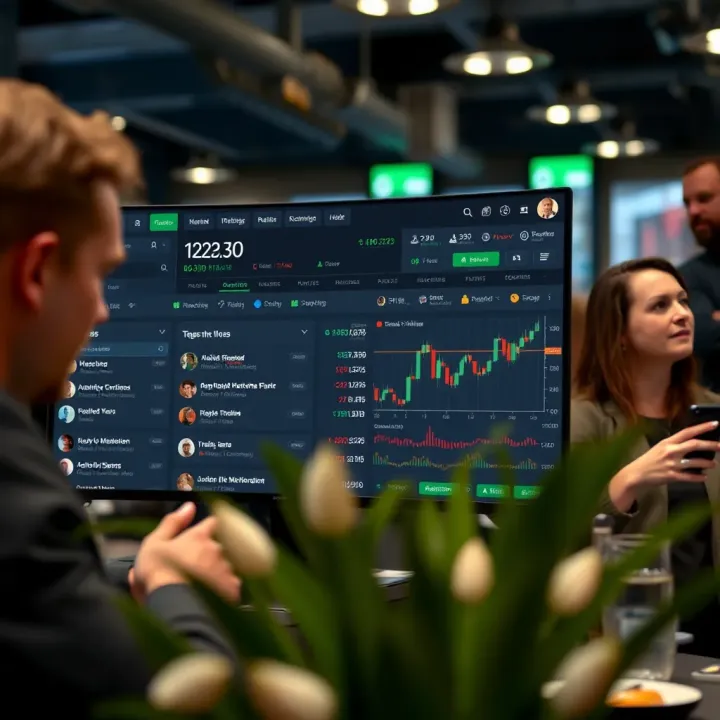
Learn how to use TradingView for market analysis with charts📈, indicators📊, and social features🤝. Tailored tips for Pakistani traders to boost your trades.
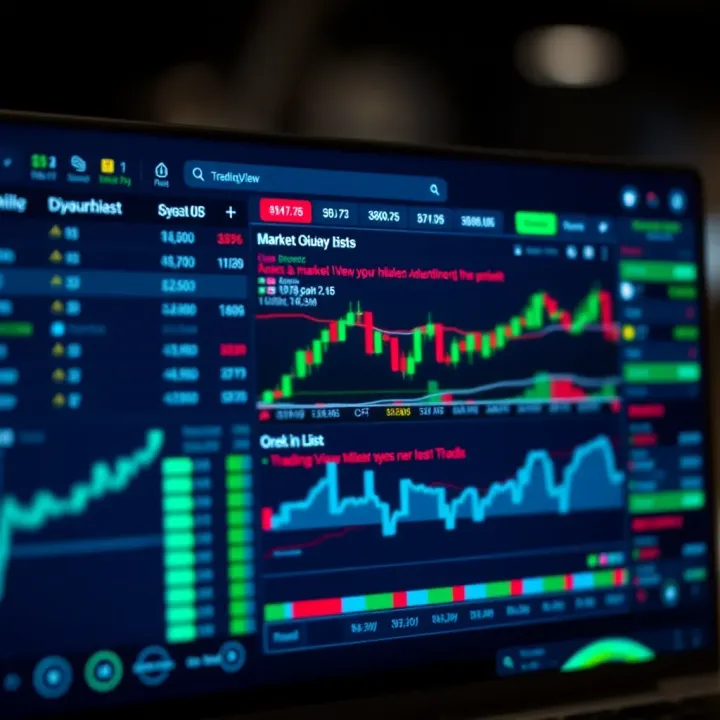
📊 Discover how TradingView.com can boost your market analysis with real-time data, advanced charts, and community tips tailored for traders in Pakistan.
Based on 7 reviews